

Advance Custom HTML lets you write and display HTML, CSS, PHP, and other code snippets on WordPress with live preview and syntax highlighting.
★ 2.5/5 (4)10,000+ active installations
- Version
- 2.1.2
- WordPress
- 6.6+
- PHP
- 7.1+
- Updated
- 18 Nov 2026
WORDPRESS RESOURCES
Explore public plugin information from the official WordPress.org directory. Compare what a plugin does, its requirements and update history before adding it to your website.
Explore WordPress hosting →2,147 matching plugins reported by WordPress.org · Page 19 of 50
Source: WordPress.org
Data refreshed 19 Nov 2026 05:07 UTC
Advance Custom HTML lets you write and display HTML, CSS, PHP, and other code snippets on WordPress with live preview and syntax highlighting.

By Camille V
Version 2.3.5 Geolocate your posts and display them on an interactive OpenStreetMap map using a simple shortcode. Customize your markers and map.
Get leads with a floating contact form tab, chat & social buttons like Facebook Messenger, WhatsApp, Viber, Telegram, Twitter, Instagram & more 🎉
Design professional blogs with advanced Gutenberg blocks, premade templates, dynamic post grids, and smart filters.
By rocketelements
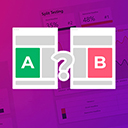
Adds split testing functionality to elementor

By safelayout
Beautiful pure CSS animated preloader for your WordPress website. A highly lightweight, easy-to-use, and powerful site loader.
Add responsive horizontal, vertical, and accordion tabs to WordPress in minutes — no coding required. Organize FAQs, product info, and long content in …

By Junák - český skaut
A WordPress gallery using Google Drive as file storage

By niao70
Display a table of contents in your posts by automatically generated from the headings. No Javascript code, simple to use.

🔗 Affiliate link management & cloaker tool. Easily manage, shrink and track your affiliate links in WordPress. 🔥

By Namith Jawahar
Free, lightweight ad manager: place AdSense or any ad code in posts, widgets, header & footer. No upsells. Your settings are always backed up.

By kevinweber
Boost page speed by replacing embedded YouTube and Vimeo videos with a clickable preview image. Video scripts only load on click.
CHOOSE WHAT YOUR WEBSITE NEEDS
Start with the task you need to solve. Compare features, WordPress and PHP requirements, update history and the author’s documentation. Test changes on a private copy and avoid adding several plugins for the same job.
This independent directory displays plugin information on WebFulHost and links to the official source. Packages are not mirrored or installed here. A plugin can include paid extensions or services with separate terms from its author.


