Compress images and convert them to WebP and AVIF, with bulk optimization, upload optimization and Media Library actions. No tracking.
★ 5.0/5 (1)0+ active installations
- Version
- 1.6.2
- WordPress
- 5.8+
- PHP
- 7.4+
- Updated
- 14 Nov 2026
View plugin details ↗Manage chess tournaments from WordPress: players, Swiss pairings, results, standings, and exports. Free plan: up to 10 players per tournament.
★ 5.0/5 (2)0+ active installations
- Version
- 1.9.5
- WordPress
- 5.8+
- PHP
- 7.4+
- Updated
- 18 Oct 2026
View plugin details ↗Safe, reversible toggles that switch off the WooCommerce scripts, admin extras and background jobs your store doesn't need.
0+ active installations
- Version
- 1.0.0
- WordPress
- 6.5+
- PHP
- 7.4+
- Updated
- 12 Oct 2026
View plugin details ↗Offload media library files to S3-compatible object storage such as Amazon S3, Tencent COS, Aliyun OSS, Qiniu, and Cloudflare R2.
0+ active installations
- Version
- 1.1.4
- WordPress
- 6.0+
- PHP
- 8.1+
- Updated
- 21 Sep 2026
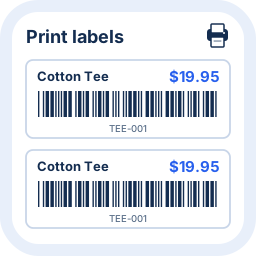
View plugin details ↗Create, customize and print barcode labels for products and variations in stores powered by WooCommerce.
10+ active installations
- Version
- 0.4.5
- WordPress
- 6.4+
- PHP
- 7.4+
- Updated
- 11 Oct 2026
View plugin details ↗Monitor, back up and maintain WordPress websites with Geckada.
10+ active installations
- Version
- 3.2.246
- WordPress
- 6.0+
- PHP
- 7.4+
- Updated
- 16 Oct 2026
View plugin details ↗Intelligent autocomplete search with fuzzy matching and SKU/EAN. Works on any WordPress site; WooCommerce optional for product search.
0+ active installations
- Version
- 1.0.10
- WordPress
- 6.1+
- PHP
- 7.4+
- Updated
- 9 Nov 2026
View plugin details ↗Upload WordPress media images to LskyPro and replace local media URLs with remote image URLs.
0+ active installations
- Version
- 2.0.6
- WordPress
- 6.0+
- PHP
- 7.4+
- Updated
- 15 Jun 2026
View plugin details ↗Preview and change featured images for up to 50 posts or pages, with durable history and conflict-aware undo.
0+ active installations
- Version
- 1.2.3
- WordPress
- 6.6+
- PHP
- 8.1+
- Updated
- 12 Oct 2026
View plugin details ↗Bulk-convert media library images to WebP for better SEO and Core Web Vitals. Originals stay on disk; the front-end serves WebP via the tag.
0+ active installations
- Version
- 1.1.2
- WordPress
- 5.8+
- PHP
- 7.1+
- Updated
- 16 May 2026
View plugin details ↗Find media-library images with empty alt text, review editable suggestions from titles or filenames, and save selected images in batches.
0+ active installations
- Version
- 1.0.2
- WordPress
- 5.8+
- PHP
- 7.4+
- Updated
- 29 Oct 2026
View plugin details ↗Organize your media library with folders, optimize images with WebP/AVIF, and review unused media for cleanup. Local processing, no image credits.
0+ active installations
- Version
- 1.0.0
- WordPress
- 6.6+
- PHP
- 7.4+
- Updated
- 17 Oct 2026
View plugin details ↗