Turn your site into a powerful membership solution. Manage members, teams and access to content easily.
★ 4.8/5 (382)10,000+ active installations
- Version
- 4.9.0
- WordPress
- 6.7+
- PHP
- 7.4+
- Updated
- 4 Nov 2026
View plugin details ↗With the "User Access Manager"-plugin you can manage the access to your posts, pages and files.
★ 4.4/5 (112)10,000+ active installations
- Version
- 2.3.21
- WordPress
- 4.7+
- PHP
- 8.0+
- Updated
- 20 Nov 2026
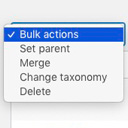
View plugin details ↗Allows you to merge terms, move terms between taxonomies, and set term parents, individually or in bulk.
★ 4.9/5 (76)10,000+ active installations
- Version
- 2.0.2
- WordPress
- 4.2+
- PHP
- 7.1+
- Updated
- 11 Dec 2025
View plugin details ↗Using Simple HTML Sitemap plugin, you can add HTML Sitemap anywhere on the website using Shortcode.
★ 4.9/5 (10)3,000+ active installations
- Version
- 3.9
- WordPress
- 6.0+
- PHP
- 7.4+
- Updated
- 2 Jul 2026
View plugin details ↗This plugin adds the Portuguese “States”, known as “Distritos”, to WooCommerce and sets the correct address format for Portugal.
★ 5.0/5 (9)5,000+ active installations
- Version
- 5.2
- WordPress
- 5.8+
- PHP
- 7.2+
- Updated
- 29 Aug 2026
View plugin details ↗Create Access Levels and restrict any post, page, category, etc. Supports bbPress, BuddyPress, WooCommerce, WPML, and more.
★ 4.3/5 (94)10,000+ active installations
- Version
- 2.8.4
- WordPress
- 6.1+
- PHP
- 8.2+
- Updated
- 7 Nov 2026
View plugin details ↗Intuitively reorder Posts, Pages, Custom Post Types, Taxonomies, and Sites with a simple drag-and-drop interface.
★ 4.4/5 (139)400,000+ active installations
- Version
- 3.2.0
- WordPress
- 3.5.0+
- Updated
- 16 Sep 2025
View plugin details ↗Display high-converting newsletter popups, a cookie notice, or a notification with the light-weight yet feature-rich plugin.
★ 4.0/5 (9)50,000+ active installations
- Version
- 1.2.4
- WordPress
- 4.0+
- PHP
- 5.4+
- Updated
- 11 Jul 2026
View plugin details ↗Post Slider and Post Carousel display WordPress post in slider and carousel layouts with shortcode and Latest/Recent vertical post scrolling widget.
★ 4.7/5 (31)10,000+ active installations
- Version
- 3.5.9
- WordPress
- 6.1+
- PHP
- 5.4+
- Updated
- 11 Oct 2026
View plugin details ↗Create post grids with AJAX filters, pagination, load more, infinite scroll, and custom post type support.
★ 4.5/5 (13)1,000+ active installations
- Version
- 3.4.18
- WordPress
- 5.8+
- PHP
- 7.4+
- Updated
- 4 Nov 2026
View plugin details ↗✨ WooCommerce wallet with cashback rewards, store credit, partial payment & top-ups. Boost customer loyalty effortlessly.
★ 4.7/5 (188)20,000+ active installations
- Version
- 1.7.5
- WordPress
- 6.4+
- PHP
- 7.4+
- Updated
- 20 Nov 2026
View plugin details ↗Group WordPress users with custom taxonomies and terms.
★ 4.3/5 (6)600+ active installations
- Version
- 2.7.1
- WordPress
- 6.4+
- PHP
- 7.4+
- Updated
- 10 Oct 2026
View plugin details ↗