Easy Slider
By Trident Technolabs
Create a responsive slider where the content and button for each slide.
★ 5.0/5 (3)1,000+ active installations
- Version
- 1.1.3
- WordPress
- 5.1+
- Updated
- 21 Aug 2026
WORDPRESS RESOURCES
Explore public plugin information from the official WordPress.org directory. Compare what a plugin does, its requirements and update history before adding it to your website.
Explore WordPress hosting →4,063 matching plugins reported by WordPress.org · Page 19 of 50
Source: WordPress.org
Data refreshed 25 Nov 2026 18:11 UTC
By Trident Technolabs
Create a responsive slider where the content and button for each slide.
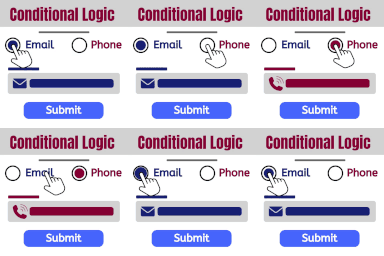
Show and hide fields. Send certain email, don't send others. Redirect to one of many pages. The possibilities are endless!

By seosbg
Change the typography of your whole site without code: sizes, fonts, Google Fonts, line height, colors, mobile sizes, fluid scaling and live preview.

By Sina Extra
A collection of advanced features including Header & Footer Builder, Theme Builder, Popup Builder, 58 elements, 100+ free templates and more.

By Rolf Allard van Hagen
Options to manage the WordPress core XML Sitemaps, optimize and fix some bugs.

By Liton Arefin
A powerful block collection for the WordPress block editor with 20+ blocks and 5+ extensions to build beautiful pages without writing code.

By Mustafa Uysal
Same emoji, but compressed. It helps to serve emoji via your server.

By Jose Mortellaro
With Rename Plugins Folder you can rename the plugins folder. This is an underestimated way to increase the security of your installation.

By hassantafreshi
Drag-and-drop WordPress forms with a built-in email delivery test, a tracking code for every entry, multi-step forms and free CSV export.
Build a powerful documentation hub with an AI-powered knowledge base, docs, wiki tools, changelogs, FAQ, glossary and an AI chatbot to help users find …

By SEMrush CY LTD
Create SEO-friendly content that brings traffic.

By doubledome
The Word Counter plugin offers a dedicated dashboard view that tracks the word count, post count, pages wordcount, and custom post types across your e …
CHOOSE WHAT YOUR WEBSITE NEEDS
Start with the task you need to solve. Compare features, WordPress and PHP requirements, update history and the author’s documentation. Test changes on a private copy and avoid adding several plugins for the same job.
This independent directory displays plugin information on WebFulHost and links to the official source. Packages are not mirrored or installed here. A plugin can include paid extensions or services with separate terms from its author.