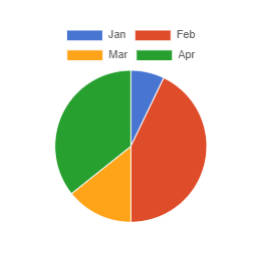
The easiest way to create responsive, customizable, and reusable charts and graphs for your website.
★ 3.0/5 (6)3,000+ active installations
- Version
- 3.5.0
- WordPress
- 6.0+
- PHP
- 7.4+
- Updated
- 16 Nov 2026
View plugin details ↗Free WP Mail SMTP plugin. Fix WordPress email deliverability with Gmail, Amazon SES, SendGrid, Mailgun, Postmark, Cloudflare, Brevo or any SMTP.
★ 4.8/5 (414)700,000+ active installations
- Version
- 2.4.5
- WordPress
- 6.5+
- PHP
- 7.4+
- Updated
- 4 Nov 2026
View plugin details ↗Make email delivery easy for WordPress. Connect with SMTP, Gmail, Brevo, SendGrid, Amazon SES + more, with powerful WordPress SMTP Email plugin.
★ 4.8/5 (5,217)4,000,000+ active installations
- Version
- 4.10.4
- WordPress
- 5.5+
- PHP
- 7.4+
- Updated
- 11 Nov 2026
View plugin details ↗Create AI Powered Charts, Graphs, and Dashboard with iChart. Create Dashboard from Googlesheets Graphs, charts to visualize data
★ 5.0/5 (4)300+ active installations
- Version
- 2.2.4
- WordPress
- 5.2+
- PHP
- 5.6+
- Updated
- 2 Nov 2026
View plugin details ↗HappyAddons packs Header Footer Builder, Megamenu, Single Post, Archive Page, & 500+ Ready Templates into one powerful Elementor Addons plugin.
★ 4.8/5 (489)400,000+ active installations
- Version
- 3.52.0
- WordPress
- 6.8+
- PHP
- 8.1+
- Updated
- 18 Nov 2026
View plugin details ↗Allows to easily add interactive charts and maps using amCharts libraries.
★ 5.0/5 (29)1,000+ active installations
- Version
- 1.4.7
- WordPress
- 3.5+
- Updated
- 18 Aug 2026
View plugin details ↗Elementor all-in-one addons pack with the best widgets for Elementor, offering 100+ free widgets, templates, and tools to create stunning websites!
★ 4.8/5 (525)300,000+ active installations
- Version
- 2.0.28
- WordPress
- 5.7+
- PHP
- 7.4+
- Updated
- 3 Nov 2026
View plugin details ↗Build responsive, sortable and searchable tables with drag & drop. Import CSV, Excel or JSON. Create data, pricing, comparison and product tables.
★ 4.6/5 (472)70,000+ active installations
- Version
- 5.5.2
- WordPress
- 6.0+
- PHP
- 7.4+
- Updated
- 19 Nov 2026
View plugin details ↗Embed dynamic stock market charts from finviz.com
★ 5.0/5 (3)300+ active installations
- Version
- 1.0.2
- WordPress
- 3.6+
- Updated
- 23 Aug 2026
View plugin details ↗This plugin provides the function to create a set of questions to answer with "yes / no (/or other)". Yes/Noチャートを作れるプラグインです。
★ 4.5/5 (2)2,000+ active installations
- Version
- 1.0.12
- WordPress
- 4.4+
- PHP
- 7.0+
- Updated
- 6 Jan 2026
View plugin details ↗Create and display a Data Chart on your site within a few clicks. Easily visualize your data!
★ 3.7/5 (3)40+ active installations
- Version
- 1.0.3
- WordPress
- 6.5+
- PHP
- 7.4+
- Updated
- 12 Nov 2026
View plugin details ↗Displays a Chart for CSV content.
★ 5.0/5 (1)300+ active installations
- Version
- 1.3.1
- WordPress
- 5.6.0+
- PHP
- 7.2.0+
- Updated
- 18 Apr 2025
View plugin details ↗