

Catch Scroll Progress Bar
By Catch Plugins
Catch Scroll Progress Bar is a simple, super-light WordPress progress bar plugin to sow the scrolled progress.
★ 4.0/5 (4)1,000+ active installations
- Version
- 2.2
- WordPress
- 5.9+
- PHP
- 7.4+
- Updated
- 22 May 2026
WORDPRESS RESOURCES
Explore public plugin information from the official WordPress.org directory. Compare what a plugin does, its requirements and update history before adding it to your website.
Explore WordPress hosting →220 matching plugins reported by WordPress.org · Page 2 of 19
Source: WordPress.org
Data refreshed 20 Nov 2026 22:29 UTC
By Catch Plugins
Catch Scroll Progress Bar is a simple, super-light WordPress progress bar plugin to sow the scrolled progress.

High-converting popup campaigns with PopupKit – advanced triggers, A/B testing, spin-to-win, multistep popups & 270+ popup templates for WordPress
Animate WordPress blocks with reveal, scroll, mouse and loop effects, set in the block settings.

🤩 Make popups & optin forms to get more email newsletter subscribers, leads, and sales - #1 most popular popup builder plugin! 🚀
A store editor plugin for editing all WooCommerce store and product pages, cart, checkout and user account pages, all within the WordPress Customizer

By Magazine3
Adds a user friendly and fully automatic way to create and display a table of contents generated from the page content.

By spherical
Ozh' Admin Drop Down Menu + WordPress Toolbar & Admin Menu Fixed to the Top and Side of the Admin Screens. Less Scrolling!

By Automattic
Save each change and get back online fast with one-click restores. The most proven WordPress backup plugin with over 270 million backups.

By Magnigenie
The WooCommerce Sticky Add to Cart plugin displays a mini content bar at the top of the browser window.

By Shivaji Mitra
WCAG AA compliant carousel, slider & slideshow blocks: keyboard & screen-reader friendly, pause control, no autoplay, plus a card scroller.
Fast full width slider for hero banners and header images. Gutenberg block, captions, swipe and autoplay. No jQuery, built for page speed.
By skirridsystems
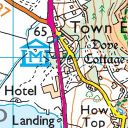
A plugin to display UK Ordnance Survey maps with markers and tracks.
CHOOSE WHAT YOUR WEBSITE NEEDS
Start with the task you need to solve. Compare features, WordPress and PHP requirements, update history and the author’s documentation. Test changes on a private copy and avoid adding several plugins for the same job.
This independent directory displays plugin information on WebFulHost and links to the official source. Packages are not mirrored or installed here. A plugin can include paid extensions or services with separate terms from its author.


