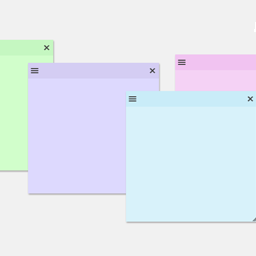
A simple, lightweight note-taking system inside the WordPress admin. Keep general, page-level, and block-level notes all in one place.
★ 5.0/5 (15)1,000+ active installations
- Version
- 2.0.3
- WordPress
- 5.3+
- PHP
- 8.1+
- Updated
- 14 Oct 2026
View plugin details ↗Moves admin notices into a bell panel in the admin bar. Nothing stored, nothing lost: success messages and inline notices stay where they are.
★ 5.0/5 (2)500+ active installations
- Version
- 1.1.0
- WordPress
- 6.0+
- PHP
- 7.4+
- Updated
- 20 Oct 2026
View plugin details ↗Create sticky notes in your WP admin for reminders and to-dos. Restrict notes by user roles and disable them on specific pages.
★ 5.0/5 (7)1,000+ active installations
- Version
- 1.2.7
- WordPress
- 3.6.0+
- PHP
- 5.6+
- Updated
- 4 Sep 2026
View plugin details ↗Duplicate post
★ 4.9/5 (1,634)300,000+ active installations
- Version
- 1.5.8
- WordPress
- 4.6+
- PHP
- 5.6+
- Updated
- 10 Nov 2026
View plugin details ↗Feature Rich and Super Fast Support and Customer Ticketing System for WordPress.
★ 4.6/5 (69)10,000+ active installations
- Version
- 2.5.0
- WordPress
- 5.6+
- PHP
- 7.4+
- Updated
- 2 Nov 2026
View plugin details ↗Free WordPress helpdesk & support ticket system with AI chatbot, AI reply assistant, unlimited tickets and agents, Elementor and Gutenberg blocks.
★ 4.9/5 (289)10,000+ active installations
- Version
- 3.5.6
- WordPress
- 5.6+
- PHP
- 7.4+
- Updated
- 17 Nov 2026
View plugin details ↗Top Bar Links allows you to add custom links to your admin top bar.
★ 5.0/5 (4)100+ active installations
- Version
- 1.0.6
- WordPress
- 4.6+
- PHP
- 5.6+
- Updated
- 1 Oct 2026
View plugin details ↗The plugin "Flexible Editor Panel" makes the Elementor editor panel flexible, draggable, resizable, foldable and adds many productivity features.
★ 4.9/5 (74)20,000+ active installations
- Version
- 2.6.1
- WordPress
- 5.9+
- PHP
- 7.4+
- Updated
- 9 Feb 2026
View plugin details ↗The Simplest Project & Task Management Plugin Specifically Crafted for Agencies, Freelancers & Founders.
★ 5.0/5 (25)6,000+ active installations
- Version
- 2.3.0
- WordPress
- 5.0+
- PHP
- 7.4+
- Updated
- 30 Oct 2026
View plugin details ↗The easiest drag & drop form builder for WordPress. Create contact forms, surveys, and lead capture forms in minutes with 38+ fields and 21+ integ …
★ 4.2/5 (5)10,000+ active installations
- Version
- 2.10.5
- WordPress
- 5.0+
- Updated
- 8 Nov 2026
View plugin details ↗Practical WooCommerce admin tools for inventory review, product editing, order handling, and store cleanup.
★ 5.0/5 (1)0+ active installations
- Version
- 1.0.14
- WordPress
- 6.5+
- PHP
- 7.4+
- Updated
- 6 Sep 2026
View plugin details ↗Boost productivity with ChatGPT AI Engine: automate content creation, enhance Gutenberg editing, and deploy AI chatbots for smarter, faster workflows.
★ 4.2/5 (6)1,000+ active installations
- Version
- 1.5.9
- WordPress
- 4.7+
- PHP
- 5.6+
- Updated
- 5 Oct 2026
View plugin details ↗