World clock and time zone widget for WordPress. Five clock widget styles, no API key, no tracking. Works out of the box.
0+ active installations
- Version
- 1.0.3
- WordPress
- 6.0+
- PHP
- 7.4+
- Updated
- 26 Aug 2026
View plugin details ↗Turn any WordPress post into a digital signage screen with one click — a public, no-login player URL for your TVs and displays.
★ 5.0/5 (1)0+ active installations
- Version
- 0.13.0
- WordPress
- 6.4+
- PHP
- 7.4+
- Updated
- 15 Sep 2026
View plugin details ↗An extension for Connections Business Directory which adds the ability to show the local time of a business or an individual based on their address.
★ 5.0/5 (1)60+ active installations
- Version
- 1.2.1
- WordPress
- 5.1+
- PHP
- 5.6.20+
- Updated
- 13 Apr 2024
View plugin details ↗Create WooCommerce product discounts, bulk pricing offers, product-page messages, and Offer Safety Score checks before campaigns go live.
0+ active installations
- Version
- 1.2.1
- WordPress
- 6.5+
- PHP
- 7.4+
- Updated
- 22 Aug 2026
View plugin details ↗A beautiful animated preloader plugin for WordPress. Choose from 14 stunning SVG preloader styles with a live preview admin panel.
0+ active installations
- Version
- 2.0
- WordPress
- 5.0+
- PHP
- 7.2+
- Updated
- 3 Apr 2026
View plugin details ↗Professional A/B comparison audio player for studio portfolios. Lossless FLAC streaming, no-code shortcode, 100% compatible with all page builders.
0+ active installations
- Version
- 0.9.70
- WordPress
- 6.0+
- PHP
- 7.4+
- Updated
- 13 Nov 2026
View plugin details ↗Elegant and easy to use plugin to add a wide range of clocks on your website!
100+ active installations
- Version
- 1.2.0
- WordPress
- 5.0+
- PHP
- 7.0+
- Updated
- 10 Nov 2023
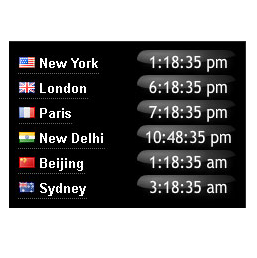
View plugin details ↗World clock showing the local time at six major cities round the world. The plugin provides a choice of analog and digital clocks, colors and sizes.
★ 1.7/5 (3)100+ active installations
- Version
- 1.1
- WordPress
- 2.8+
- Updated
- 23 Aug 2022
View plugin details ↗50+ ready-made Gutenberg section templates and block patterns. Build landing pages fast with hero, pricing, FAQ and testimonial sections — no coding.
★ 5.0/5 (1)400+ active installations
- Version
- 2.0.14
- WordPress
- 6.2+
- PHP
- 7.1+
- Updated
- 18 Nov 2026
View plugin details ↗A modern stylish analog clock for your WordPress dashboard
★ 5.0/5 (1)10+ active installations
- Version
- 1.0
- Updated
- 21 May 2020
View plugin details ↗AI featured images in one click, in bulk, or by asking Claude (MCP). Free with OpenAI, Stability AI and Grok. Pro adds WooCommerce product images.
★ 5.0/5 (2)100+ active installations
- Version
- 2.2.1
- WordPress
- 6.6+
- PHP
- 7.4+
- Updated
- 10 Nov 2026
View plugin details ↗