

Datafeedr API
By datafeedr
Connect to the Datafeedr API.
★ 4.0/5 (13)4,000+ active installations
- Version
- 1.4.3
- WordPress
- 3.8+
- PHP
- 7.4+
- Updated
- 5 Oct 2026
WORDPRESS RESOURCES
Explore public plugin information from the official WordPress.org directory. Compare what a plugin does, its requirements and update history before adding it to your website.
Explore WordPress hosting →10,000 matching plugins reported by WordPress.org · Page 2 of 50
Source: WordPress.org
Data refreshed 19 Nov 2026 22:03 UTC
By datafeedr
Connect to the Datafeedr API.

By miniOrange
Connect WordPress with External APIs and create no-code custom WordPress REST API endpoints to interact with the WordPress database to perform SQL ope …

By fullworks
Block spam on Contact Form 7, WPForms & comments. No API key. GDPR compliant. Free for commercial use. No configuration needed.
By agussuroyo
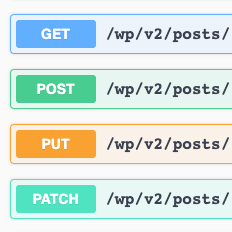
WordPress REST API with Swagger UI.

By Automattic
The WooCommerce Legacy REST API, which is now part of WooCommerce itself but will be removed in WooCommerce 9.0.

By IT Path Solutions
Send Contact Form 7 submissions to any API, Webhook or CRM — quick setup, flexible payloads, endpoints and authentication.

By David Anderson / Team Updraft
Connect any REST API to WordPress. WPGet API enables easy API integration, allowing you to display API data without any code.
Real-time SEO guidance, schema, and AI built in. Help search engines and AI systems understand your content. All AI tools included, no hidden fees.

By WordPress.org
Opt-in AI for WordPress: one stable feature plus experiments that may change or be removed. Needs an AI provider plugin and your own API key.

Free WP Mail SMTP plugin. Fix WordPress email deliverability with Gmail, Amazon SES, SendGrid, Mailgun, Postmark, Cloudflare, Brevo or any SMTP.

By Amin Nazemi
A simple and lightweight plugin to disable XML-RPC API, X-Pingback and pingback-ping in WordPress 3.5+ for a faster and more secure website
MCP server for WordPress. Connect Claude, ChatGPT, Cursor or any MCP client to manage content, themes and settings, with approvals.
CHOOSE WHAT YOUR WEBSITE NEEDS
Start with the task you need to solve. Compare features, WordPress and PHP requirements, update history and the author’s documentation. Test changes on a private copy and avoid adding several plugins for the same job.
This independent directory displays plugin information on WebFulHost and links to the official source. Packages are not mirrored or installed here. A plugin can include paid extensions or services with separate terms from its author.

