

DeepBOM: Bill of Materials
By workinnovate
Bill of Materials and raw material inventory for WooCommerce. Multi-level BOMs, auto stock deduction, and cost tracking.
0+ active installations
- Version
- 1.0.1
- WordPress
- 6.0+
- PHP
- 8.0+
- Updated
- 8 Oct 2026
WORDPRESS RESOURCES
Explore public plugin information from the official WordPress.org directory. Compare what a plugin does, its requirements and update history before adding it to your website.
Explore WordPress hosting →69 matching plugins reported by WordPress.org · Page 2 of 6
Source: WordPress.org
Data refreshed 20 Nov 2026 02:51 UTC
By workinnovate
Bill of Materials and raw material inventory for WooCommerce. Multi-level BOMs, auto stock deduction, and cost tracking.

By Olimpiu Galani
Membership management for associations & NGOs: members, membership levels, fees, a gated member directory, and general-assembly voting.

By blocksmonster
Blocks Monster – Gutenberg Blocks, Elementor Widgets, Landing Page Builder, WooCommerce Enhancer
AI chatbot & shopping assistant for WooCommerce. Natural language search, product recommendations, cart management, & order lookup via OpenAI/Gemini.

By Max
Reliable chunked migrations powered by custom .wpbkp archives.
By conlabltd
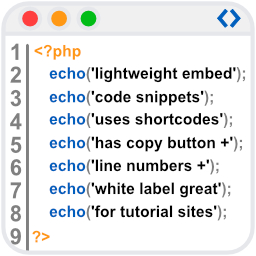
WpBetterCodeHighlighting allows you to show code snippets in over 290+ languages. Its completly free and perfect for blog/tutorial sites.

By sstoker
Add notes and custom content to WooCommerce order emails by product or category. HPOS-ready, no bloat.

By Keshab Adhikari
No bloat, no upsells, no page builder — just optional add-ons that follow your product through checkout.

By Sadık Özdoğan
Convert, optimize, compress, and resize images locally. Create WebP, AVIF, JPEG, PNG, and text graphics without an external service.

By balint2005
Turn your logo, image or text into an interactive particle animation with morphs, a timeline and scroll effects.

By vimine
Sign in with Vimine, the member card, the events and the enrolment form of your association, on its WordPress site.
Add an online compiler to your posts: runnable code blocks readers edit and run in Python, C++, Java, JavaScript, SQL and 46 languages in all.
CHOOSE WHAT YOUR WEBSITE NEEDS
Start with the task you need to solve. Compare features, WordPress and PHP requirements, update history and the author’s documentation. Test changes on a private copy and avoid adding several plugins for the same job.
This independent directory displays plugin information on WebFulHost and links to the official source. Packages are not mirrored or installed here. A plugin can include paid extensions or services with separate terms from its author.

