Practical SEO controls for titles, descriptions, canonicals, robots directives and WordPress sitemaps, with a clear on-page checklist.
0+ active installations
- Version
- 1.3.2
- WordPress
- 6.5+
- PHP
- 7.4+
- Updated
- 7 Nov 2026
View plugin details ↗Audit every page, fix issues in bulk with AI, add schema and local SEO, and let Claude or Cursor work on your SEO through MCP.
0+ active installations
- Version
- 1.0.4
- WordPress
- 6.2+
- PHP
- 7.4+
- Updated
- 10 Nov 2026
View plugin details ↗Check whether WordPress pages are technically discoverable with noindex, robots.txt, canonical, sitemap, redirect, and status-code checks.
0+ active installations
- Version
- 0.5.4
- WordPress
- 6.0+
- PHP
- 7.4+
- Updated
- 16 Oct 2026
View plugin details ↗AI SEO for WooCommerce products: descriptions, meta, ALT text and FAQ schema in bulk. Preview, undo and see the Google impact. English and Arabic.
0+ active installations
- Version
- 0.40.0
- WordPress
- 6.0+
- PHP
- 7.4+
- Updated
- 15 Nov 2026
View plugin details ↗AI drafts fixes for titles, meta descriptions, headings, internal links and alt text. Nothing changes until you approve. Your own AI key or Ollama.
0+ active installations
- Version
- 5.3.0
- WordPress
- 6.0+
- PHP
- 7.4+
- Updated
- 30 Oct 2026
View plugin details ↗Technical + content SEO with block-level recommendations in Gutenberg, one-click migration from other SEO plugins, and optional AI on your own key.
0+ active installations
- Version
- 0.15.0
- WordPress
- 6.8+
- PHP
- 8.0+
- Updated
- 20 Oct 2026
View plugin details ↗AI Rank Suite shows whether AI assistants name your site, and fixes what stops them: llms.txt, AI page scores, schema and classic SEO.
0+ active installations
- Version
- 0.2.49
- WordPress
- 6.4+
- PHP
- 8.1+
- Updated
- 18 Oct 2026
View plugin details ↗Very useful fixes and add-ons for WordPress Multisite installations.
10+ active installations
- Version
- 28.1
- WordPress
- 5.4+
- PHP
- 7.4+
- Updated
- 28 May 2026
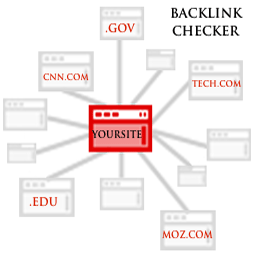
View plugin details ↗Backlink Checker SEO tool shows an instant result of earned backlinks to your site.
10+ active installations
- Version
- 1.0
- WordPress
- 3.0.1+
- Updated
- 23 Nov 2016
View plugin details ↗Checks your posts for plagiarism before publishing. Provides checks history and detailed reports with plagiarized fragments and links to them.
0+ active installations
- Version
- 1.0
- WordPress
- 4.7+
- Updated
- 23 Nov 2017
View plugin details ↗It works very easy and simple. Your site will always be updated automatically.
0+ active installations
- Version
- 1.1
- WordPress
- 3.0.1+
- Updated
- 18 Dec 2010
View plugin details ↗