By WPMU DEV - Your All-in-One WordPress Platform
WordPress security plugin with malware scanner, IP blocking, audit logs, antivirus scans, firewall, 2FA, brute force login security, and more.
★ 4.8/5 (335)80,000+ active installations
- Version
- 6.4.2
- WordPress
- 6.4+
- PHP
- 8.0.0+
- Updated
- 17 Nov 2026
View plugin details ↗40+ Gutenberg Blocks, plus multiple pre-made free block templates for the WordPress block editor.
★ 4.7/5 (115)50,000+ active installations
- Version
- 3.0.4
- WordPress
- 7.0+
- PHP
- 7.4+
- Updated
- 20 Nov 2026
View plugin details ↗Smart WordPress security that blocks bots automatically, guides you to what matters, and repairs problems — without drowning you in noise.
★ 4.8/5 (1,039)30,000+ active installations
- Version
- 22.3.4
- WordPress
- 5.7+
- PHP
- 7.4+
- Updated
- 27 Oct 2026
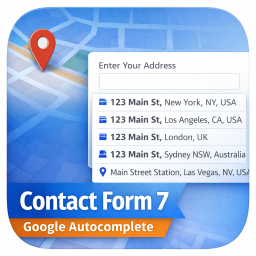
View plugin details ↗Add a Google Address Autocomplete field to Contact Form 7 forms. Powered by Google Places API for real-time address suggestions and accurate data coll …
★ 5.0/5 (13)1,000+ active installations
- Version
- 10.0
- WordPress
- 5.8+
- PHP
- 7.2+
- Updated
- 25 Oct 2026
View plugin details ↗Floating Menus, Sticky Buttons, & Popup builder. WhatsApp Chat, Facebook Messenger, Telegram, Live Chat, Call, SMS, Email & more.
★ 4.5/5 (151)70,000+ active installations
- Version
- 3.6.1
- WordPress
- 4.7+
- PHP
- 7.0+
- Updated
- 13 Oct 2026
View plugin details ↗Plugin to activate the ShinyStat Analytics services on your website.
★ 5.0/5 (1)1,000+ active installations
- Version
- 1.0.17
- WordPress
- 3.1.0+
- PHP
- 5.6+
- Updated
- 3 Jul 2026
View plugin details ↗Stop guessing. Grow your sales with powerful, easy-to-understand reports and analytics for WooCommerce.
★ 3.0/5 (6)600+ active installations
- Version
- 3.1.5
- WordPress
- 5.3+
- PHP
- 8.0.3+
- Updated
- 22 Nov 2026
View plugin details ↗Balaeno SEO Intelligence helps optimize WordPress and WooCommerce websites with SEO titles, meta descriptions, readability analysis, image SEO audits …
★ 5.0/5 (1)0+ active installations
- Version
- 1.6.6
- WordPress
- 6.0+
- PHP
- 7.4+
- Updated
- 13 Jun 2026
View plugin details ↗Floating Social Media Icons, Sticky Share Buttons, Facebook Feeds, & Popup builder. Also, create Call, Email, SMS, & Contact buttons to increa …
★ 4.8/5 (396)40,000+ active installations
- Version
- 7.0.2
- WordPress
- 4.7+
- PHP
- 7.0+
- Updated
- 13 Aug 2026
View plugin details ↗Embed Microsoft Power BI reports, tiles, dashboards, Q&A, etc in WordPress site with support for Row-level security (RLS).[24*7 Support]
★ 5.0/5 (23)400+ active installations
- Version
- 1.2.4
- WordPress
- 5.5+
- PHP
- 7.0+
- Updated
- 15 Jun 2026
View plugin details ↗Free: WC Wishlist, Email automation, Elementor Widgets. Premium: Back-in-Stock Notifier, Save for Later, Multi-lists, Reports, Email Marketing.
★ 4.9/5 (121)8,000+ active installations
- Version
- 2.0.5
- WordPress
- 5.8+
- PHP
- 7.4+
- Updated
- 21 Nov 2026
View plugin details ↗1 WordPress funnel builder & WooCommerce checkout plugin. Boost AOV with one-click upsells, order bumps & high-converting checkout pages.
★ 4.8/5 (521)200,000+ active installations
- Version
- 3.3.4
- WordPress
- 5.8+
- PHP
- 7.2+
- Updated
- 24 Nov 2026
View plugin details ↗