
Easily display Contact Form 7 Entries/Submissions on your site frontend.
★ 4.6/5 (17)1,000+ active installations
- Version
- 3.2.6
- WordPress
- 5.0+
- PHP
- 7.0+
- Updated
- 25 Sep 2026
WORDPRESS RESOURCES
Explore public plugin information from the official WordPress.org directory. Compare what a plugin does, its requirements and update history before adding it to your website.
Explore WordPress hosting →402 matching plugins reported by WordPress.org · Page 2 of 34
Source: WordPress.org
Data refreshed 20 Nov 2026 05:38 UTC
Easily display Contact Form 7 Entries/Submissions on your site frontend.

By Damir Akhmedshin
Allows uploading and client-side compression of multiple images in Contact Form 7.

By Trusty Plugins
Add country state city dropdown CF7 in contact form 7 plugin. In PRO you can use these features on any type of form.

By maximum.software
Build Contact Form 7 forms from PDF forms. Get PDFs auto-filled and attached to email messages and/or website responses on form submission.

By Ninja Team
Automatically save all data submitted via Contact Form 7 to your database
This WordPress Plugin Adds Contact Form 7 widget element to Elementor page builder for easy drag & drop the created contact forms with CF7 (contac …
Save Contact Form 7, Elementor, WPForms & Gravity Forms entries in database. View, filter, export form submissions to CSV & analytics reports.

By Aurovrata Venet
This plugin enables the mapping of your CF7 forms to custom posts, including featured images, files, meta-fields and taxonomies

Securely Store and Manage CF7 Submissions Hassle-Free

By Noman Akram
Simple plugin to save contact form 7 entries. Simple but flexible.
By Md Monirul Alom
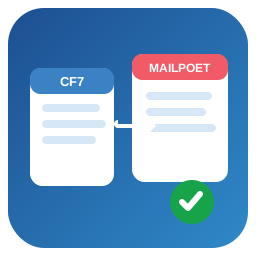
Map Contact Form 7 submissions to MailPoet subscribers with per-form field mapping, consent control, list selection, and error logging.

By Creative Werk Designs
Connect Contact Form 7 submissions to Google Sheets to sync your form entries and save all cf7 forms submitted data to the database.
CHOOSE WHAT YOUR WEBSITE NEEDS
Start with the task you need to solve. Compare features, WordPress and PHP requirements, update history and the author’s documentation. Test changes on a private copy and avoid adding several plugins for the same job.
This independent directory displays plugin information on WebFulHost and links to the official source. Packages are not mirrored or installed here. A plugin can include paid extensions or services with separate terms from its author.