
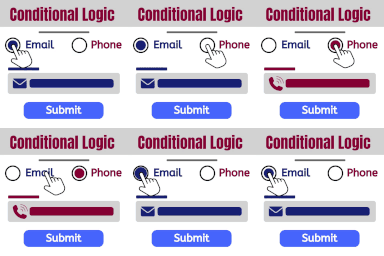
Show and hide fields. Send certain email, don't send others. Redirect to one of many pages. The possibilities are endless!
★ 4.3/5 (12)2,000+ active installations
- Version
- 2.4.3
- WordPress
- 2.0+
- PHP
- 5.2+
- Updated
- 16 Sep 2026
WORDPRESS RESOURCES
Explore public plugin information from the official WordPress.org directory. Compare what a plugin does, its requirements and update history before adding it to your website.
Explore WordPress hosting →2,021 matching plugins reported by WordPress.org · Page 2 of 50
Source: WordPress.org
Data refreshed 19 Nov 2026 03:20 UTC
Show and hide fields. Send certain email, don't send others. Redirect to one of many pages. The possibilities are endless!
Add options (addons) to your WooCommerce products so your customers can personalize their products. Product forms for everyone!

By Themefic
50+ Essential Addons for Contact Form 7 - Conditional Fields, Multi Step, Redirection, Columns, WooCommerce, Mailchimp & more

By Saravana Kumar K
Sell your products with personalised options. Add custom fields to your products, variations, checkout, order and your admin screens.

By Dotstore
Allows store owners to restrict payment methods based on the various conditions!
Easily show/hide WordPress blocks & widgets with powerful, no-code display logic. Perfect for restricting content. Explore advanced scheduling, Ge …
Add extra product options on your WooCommerce product page. Product addons for all product variations. 20 free product addons.

Get a fast contact form plugin. Create advanced forms using drag and drop form builder with all smart features.

By Takashi Kitajima
Smart Custom Fields is a simple plugin for managing custom fields.

Membership & community plugin with user profiles, registration & login, member directories, content restriction, user roles and much more.
Style Contact Form 7 forms. Add multi-step forms, conditional logic and a submissions database. All free, with an AI form builder.
Create custom post types in WordPress with custom fields, taxonomies, and meta fields. AI-powered WordPress metadata plugin.
CHOOSE WHAT YOUR WEBSITE NEEDS
Start with the task you need to solve. Compare features, WordPress and PHP requirements, update history and the author’s documentation. Test changes on a private copy and avoid adding several plugins for the same job.
This independent directory displays plugin information on WebFulHost and links to the official source. Packages are not mirrored or installed here. A plugin can include paid extensions or services with separate terms from its author.




