
Debug Bar Console
By Drew Jaynes
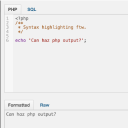
Adds a PHP/SQL console to the Debug Bar. Requires the Debug Bar plugin.
★ 5.0/5 (5)1,000+ active installations
- Version
- 0.3.1
- WordPress
- 3.1+
- Updated
- 11 Apr 2026
WORDPRESS RESOURCES
Explore public plugin information from the official WordPress.org directory. Compare what a plugin does, its requirements and update history before adding it to your website.
Explore WordPress hosting →4,539 matching plugins reported by WordPress.org · Page 2 of 50
Source: WordPress.org
Data refreshed 19 Nov 2026 02:57 UTC
By Drew Jaynes
Adds a PHP/SQL console to the Debug Bar. Requires the Debug Bar plugin.

By nutsmuggler
Allows you to insert a list of the Wordpress plugins you are using into any post/page.

By Fastmover
This plugin adds 2 columns to the admin plugin's page to show when each plugin was last updated and upgraded.

By Elliot Sowersby / RelyWP
Add Cloudflare Turnstile to WordPress, WooCommerce, Contact Forms & more. The user-friendly, privacy-preserving reCAPTCHA alternative. 100% free!

By Nexcess
The Events Calendar: #1 calendar plugin for WordPress. Create/manage events (virtual too!) on your site with the free plugin.

By Kuba Mikita
View, pause, remove, edit and add WP Cron events and schedules.

By docjojo
Essential toolbox to debug a WordPress installation.

By PluginRx
Lots of debugging and testing tools for developers.
Formerly "Instagram Feed". Display clean, customizable, and responsive Instagram feeds from multiple accounts. Supports Instagram oEmbeds.

By Ludwig You
Modular WordPress toolkit for security, performance, SMTP, WebP images, code snippets, redirects, administration and more.
Extends the Query Monitor and Debug Bar plugins for ElasticPress queries.

By Jeff Sterup
Change plugin order and selectively enable/disable plugins on each post/page.
CHOOSE WHAT YOUR WEBSITE NEEDS
Start with the task you need to solve. Compare features, WordPress and PHP requirements, update history and the author’s documentation. Test changes on a private copy and avoid adding several plugins for the same job.
This independent directory displays plugin information on WebFulHost and links to the official source. Packages are not mirrored or installed here. A plugin can include paid extensions or services with separate terms from its author.

