Redirect users to different locations after they log in, log out and register based on different conditions.
★ 4.8/5 (504)80,000+ active installations
- Version
- 3.0.9.1
- WordPress
- 5.6+
- PHP
- 7.4+
- Updated
- 17 Nov 2026
View plugin details ↗Add beautiful login forms with smooth AJAX login/registration effects, 2FA support, custom redrection options and many more login-related features!
★ 4.6/5 (167)10,000+ active installations
- Version
- 4.6.1
- WordPress
- 4.8+
- PHP
- 5.2+
- Updated
- 13 Nov 2026
View plugin details ↗Frontend login, registration and password reset pages that match your theme, at your own URLs, instead of the default wp-login.php screen.
★ 3.7/5 (460)50,000+ active installations
- Version
- 7.3.1
- WordPress
- 5.7+
- Updated
- 13 Oct 2026
View plugin details ↗Add a dynamic "Login" or "Logout" menu item to any WordPress Menu and control redirects.
★ 4.8/5 (23)20,000+ active installations
- Version
- 1.3.2
- WordPress
- 6.0+
- Updated
- 28 May 2026
View plugin details ↗A simple way to fully disable comments on your WordPress.
★ 5.0/5 (4)8,000+ active installations
- Version
- 0.3.2
- WordPress
- 5.0+
- PHP
- 7.2+
- Updated
- 11 Aug 2026
View plugin details ↗Give developers or support staff temporary admin access to your WordPress site — no username, no password, and it expires automatically.
★ 5.0/5 (1,554)90,000+ active installations
- Version
- 1.9.11
- WordPress
- 3.0.1+
- PHP
- 5.3+
- Updated
- 19 Nov 2026
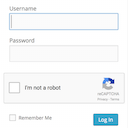
View plugin details ↗Adds a Google No Captcha ReCaptcha checkbox to your Wordpress and Woocommerce login, forgot password, and user registration pages.
★ 4.5/5 (63)50,000+ active installations
- Version
- 1.8.1
- WordPress
- 4.6+
- PHP
- 7.4+
- Updated
- 26 May 2026
View plugin details ↗Seamless Microsoft Entra | Ext. ID | B2C | M365 Integration for WordPress. For SSO, Mail, Roles, Access, Sync, Copilot, SharePoint, PowerBI.
★ 4.9/5 (155)10,000+ active installations
- Version
- 45.4
- WordPress
- 5.0+
- PHP
- 7.4+
- Updated
- 14 Nov 2026
View plugin details ↗Disables sending verification emails when reCAPTCHA is enabled. A simple plugin for Wordfence that uses the filter wordfence_ls_require_captcha.
★ 5.0/5 (1)200+ active installations
- Version
- 1.2.2
- WordPress
- 6.8+
- PHP
- 7.4+
- Updated
- 5 Sep 2026
View plugin details ↗Frontend login, registration, profile and password reset forms with blocks or shortcodes. WPML certified, reCAPTCHA and WooCommerce compatible.
★ 4.7/5 (144)5,000+ active installations
- Version
- 2.0.3
- WordPress
- 5.5+
- Updated
- 16 Nov 2026
View plugin details ↗Enforce WordPress login and password security policies to protect user accounts and prevent unauthorized logins.
★ 4.8/5 (20)4,000+ active installations
- Version
- 2.4.3
- WordPress
- 5.5+
- PHP
- 8.0+
- Updated
- 11 Nov 2026
View plugin details ↗Speed up WooCommerce and WordPress. Disable WooCommerce Admin, Analytics, Marketing Hub, cart fragments, Gutenberg and other bloat you don't use.
★ 4.8/5 (100)10,000+ active installations
- Version
- 4.5.0
- WordPress
- 4.5+
- PHP
- 5.6+
- Updated
- 17 Nov 2026
View plugin details ↗