Better Search replaces the default WordPress search with a better search engine that gives contextual results sorted by relevance.
★ 4.4/5 (61)5,000+ active installations
- Version
- 4.6.1
- WordPress
- 6.9+
- PHP
- 7.4+
- Updated
- 25 Nov 2026
WORDPRESS RESOURCES
Explore public plugin information from the official WordPress.org directory. Compare what a plugin does, its requirements and update history before adding it to your website.
Explore WordPress hosting →6,422 matching plugins reported by WordPress.org · Page 2 of 50
Source: WordPress.org
Data refreshed 27 Nov 2026 22:01 UTC
Better Search replaces the default WordPress search with a better search engine that gives contextual results sorted by relevance.

By Rolf Allard van Hagen
Very lightweight (vanilla) Javascript that wraps search terms in an HTML5 mark tag within WordPress search results.
Uncover exactly what visitors search for on your site. Stop guessing what content to create, fix content gaps, and boost engagement.

By YITHEMES
YITH WooCommerce Ajax Search allows your users to search products in real time.

By Andrew Stichbury
Admin Search adds a simple, easy-to-use interface to your WordPress admin site that gives you and your admin users the ability to search across multip …
Search and Replace everything in WordPress. Easily find and replace media, images, text, links and more with a single click using a simple user interf …

By Epsiloncool
Extends the default fulltext search with relevance, jet speed and ability to search any posts, metadata, taxonomy, shortcode content and more data.

By CodeManas
Lightning fast search for your WordPress site, powered by Typesense.

By Sumit Singh
Extend search functionality to search in selected post meta, taxonomies, post types, and all authors.

By Narinder Singh
Event search and filter bar for The Events Calendar. Add an event search box, date filters and filtered event lists anywhere with a shortcode.
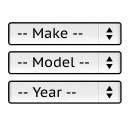
By Pektsekye
It will find products for selected make and model.
Advanced WooCommerce product search and filter plugin. Customizable search bar, live search suggestions and auto-generated filters for search results.
CHOOSE WHAT YOUR WEBSITE NEEDS
Start with the task you need to solve. Compare features, WordPress and PHP requirements, update history and the author’s documentation. Test changes on a private copy and avoid adding several plugins for the same job.
This independent directory displays plugin information on WebFulHost and links to the official source. Packages are not mirrored or installed here. A plugin can include paid extensions or services with separate terms from its author.