Expand hidden content without a page refresh. 100% SEO-friendly and crawlable, now with accordion/FAQ schema, content locker, teaser paywall, AI summa …
★ 4.2/5 (55)20,000+ active installations
- Version
- 4.3.1
- WordPress
- 5.8+
- PHP
- 7.4+
- Updated
- 16 Oct 2026
View plugin details ↗Elevate your website game with the Bricksable collection of premium elements for Bricks Builder. Designed to speed up your workflow, our customizable …
★ 5.0/5 (61)10,000+ active installations
- Version
- 1.6.85
- WordPress
- 5.6+
- PHP
- 7.4+
- Updated
- 30 Oct 2026
View plugin details ↗Reliable SMTP and email-API delivery for WordPress, with email logging, queue, retry, smart routing and failure alerts.
★ 5.0/5 (3)30+ active installations
- Version
- 1.2.2
- WordPress
- 5.9+
- PHP
- 7.4+
- Updated
- 17 Nov 2026
View plugin details ↗Contact Form Builder for WordPress with payment forms, multistep forms, conversational forms, conditional logic, and integrations.
★ 5.0/5 (260)10,000+ active installations
- Version
- 3.5.0
- WordPress
- 6.5+
- PHP
- 8.0+
- Updated
- 5 Nov 2026
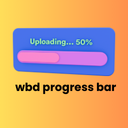
View plugin details ↗A beautiful and lightweight progress bar block for the WordPress Gutenberg editor with smooth animations and full customization options.
★ 5.0/5 (1)200+ active installations
- Version
- 1.1.2
- WordPress
- 6.5+
- PHP
- 7.4+
- Updated
- 8 Nov 2026
View plugin details ↗All in one WordPress plugin - accessibility, tag manager, notes, floating contact buttons, back to top, cookie bar and more.
★ 4.7/5 (54)20,000+ active installations
- Version
- 4.1.2
- WordPress
- 5.3+
- PHP
- 7.1+
- Updated
- 26 Sep 2026
View plugin details ↗Automatically archive all emails sent from your site. Store them in your WordPress database or send them to external services.
★ 5.0/5 (3)100+ active installations
- Version
- 4.7.0
- WordPress
- 6.4+
- PHP
- 8.2+
- Updated
- 18 Aug 2026
View plugin details ↗Adds a responsive display to video embeds.
★ 4.9/5 (7)400+ active installations
- Version
- 1.3.1
- WordPress
- 4.0+
- Updated
- 23 Jun 2025
View plugin details ↗Send WordPress form and order data to 300+ CRMs, email tools, and sheets — no code, no per-task fees, data stays on your site.
★ 4.8/5 (91)9,000+ active installations
- Version
- 2.11.6
- WordPress
- 3.0.1+
- PHP
- 7.4+
- Updated
- 14 Nov 2026
View plugin details ↗Add the Elastic Email Inbox Live Chat to your site, talk to visitors in real-time, and recognize signed-in users automatically.
0+ active installations
- Version
- 1.0.0
- WordPress
- 6.3+
- PHP
- 7.4+
- Updated
- 18 Sep 2026
View plugin details ↗Custom scrollbar for WordPress – style color, width, rail, and scroll speed, plus cursor shapes and click effects. Lightweight, no code required.
★ 3.0/5 (7)600+ active installations
- Version
- 1.1.12
- WordPress
- 6.5+
- PHP
- 7.1+
- Updated
- 12 Nov 2026
View plugin details ↗Style the page scrollbar and add scrollable content areas with a block or shortcode. 26 themes, custom colors, and a no-JavaScript native mode.
★ 5.0/5 (3)100+ active installations
- Version
- 1.4.0
- WordPress
- 4.7+
- PHP
- 7.0+
- Updated
- 7 Nov 2026
View plugin details ↗