Translate WordPress plugins and themes directly in your browser. Versatile PO file editor with integrated AI translation providers.
★ 4.8/5 (454)1,000,000+ active installations
- Version
- 2.8.10
- WordPress
- 6.6+
- PHP
- 7.4+
- Updated
- 16 Nov 2026
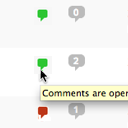
View plugin details ↗Conveniently close or open comments for a post or page with one click from the admin listing of posts.
★ 4.9/5 (10)5,000+ active installations
- Version
- 3.0
- WordPress
- 4.7+
- Updated
- 17 Apr 2025
View plugin details ↗Add Meta Pixel with Conversion API, Google Analytics (GA4) + Consent Mode, Google Tag Manager, OpenAI Pixel & API, and Head & Footer scripts.
★ 4.3/5 (281)400,000+ active installations
- Version
- 11.4.5
- WordPress
- 4.4+
- PHP
- 5.4+
- Updated
- 4 Nov 2026
View plugin details ↗Replace the comments on your WordPress blog posts with topics from an integrated bbPress install
★ 4.3/5 (18)200+ active installations
- Version
- 2.3.0
- Updated
- 23 Oct 2026
View plugin details ↗Create unlimited Media Library folders and subfolders to organize your files. Export Media Library folders, set default attributes & more.
★ 4.7/5 (150)20,000+ active installations
- Version
- 2.1.8
- WordPress
- 5.0+
- PHP
- 5.6+
- Updated
- 16 Nov 2026
View plugin details ↗SpeedyCache is a WordPress cache plugin that helps you improve performance of your WordPress site by caching, minifying, and compressing your website.
★ 4.4/5 (30)500,000+ active installations
- Version
- 1.4.3
- WordPress
- 4.7+
- PHP
- 7.0+
- Updated
- 8 Oct 2026
View plugin details ↗WP Accessibility fixes common accessibility issues in your WordPress site.
★ 4.8/5 (68)60,000+ active installations
- Version
- 2.4.5
- WordPress
- 6.4+
- PHP
- 7.4+
- Updated
- 25 Oct 2026
View plugin details ↗List the most recent posts with post titles, thumbnails, excerpts, authors, categories, dates and more!
★ 4.8/5 (215)100,000+ active installations
- Version
- 7.2.0
- WordPress
- 4.6+
- PHP
- 5.6+
- Updated
- 10 Oct 2026
View plugin details ↗Security and anti-spam without CAPTCHA. Blocks bots on forms, comments and logins, limits login attempts and hardens WordPress. No outside service.
★ 4.6/5 (213)10,000+ active installations
- Version
- 3.7.0
- WordPress
- 6.5+
- PHP
- 7.4+
- Updated
- 14 Nov 2026
View plugin details ↗A quick and easy way to create Popup layers inside the Divi Visual Builder!
★ 4.8/5 (442)100,000+ active installations
- Version
- 3.2.9
- WordPress
- 4.0.0+
- PHP
- 7.0+
- Updated
- 28 Oct 2026
View plugin details ↗Finds broken external and internal links and replaces them with Web Archive copies or manages them manually.
★ 4.0/5 (1)200+ active installations
- Version
- 1.1.0
- WordPress
- 5.6+
- PHP
- 7.4+
- Updated
- 24 May 2026
View plugin details ↗This plugin will limit the number of comments and the word count each user can add to a WordPress blog post, configurable by user role and time.
★ 4.4/5 (9)40+ active installations
- Version
- 1.2.4
- WordPress
- 4.6+
- PHP
- 7.4.33+
- Updated
- 13 Dec 2025
View plugin details ↗