

Create Announcement Bars, Notification Bars & Popup Campaigns with countdown timers, A/B testing, smart targeting & analytics.
★ 4.2/5 (38)9,000+ active installations
- Version
- 2.0.7
- WordPress
- 5.3+
- Updated
- 17 Nov 2026
WORDPRESS RESOURCES
Explore public plugin information from the official WordPress.org directory. Compare what a plugin does, its requirements and update history before adding it to your website.
Explore WordPress hosting →5,445 matching plugins reported by WordPress.org · Page 2 of 50
Source: WordPress.org
Data refreshed 22 Nov 2026 10:48 UTC
Create Announcement Bars, Notification Bars & Popup Campaigns with countdown timers, A/B testing, smart targeting & analytics.

By Marcel Bootsman
This plugin adds an auto-hide feature to the WordPress Admin Bar or Toolbar.

By Stefano Lissa
An email marketing tool for your blog: subscription forms to create your lists with unlimited subscribers and newsletters.

By WPExplorer
A simple plugin for displaying a notice at the top of your website that can be closed by the visitor. Completely free and minimal without any upsells.
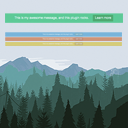
By WP Darko
Simply the easiest way to add a topbar to your website. Create a notification bar in no-time and show a message and a button to your visitors.

By VillaTheme
Motivate customers to reach the free shipping threshold with a visual free shipping bar, dynamic messages and progress tracker.

By Andrew Lima
Hides the WordPress toolbar (admin bar) for all non-admin users. Simple plugin with no settings to configure.

By Web357
A fixed bar at the top or bottom of your site with your own HTML or up to 5 linked icons. Ideal for social icons and notices.

By Ninja Team
Multiple notification bars with React-powered customizer, live preview, smart scheduling, and per-bar display rules.

Hide the WordPress admin bar by user role, block wp-admin access, redirect after login, and tidy the admin menu and notices for each role.

By WPClever
Encourage customers to increase their order value to be qualified for free shipping with a beautiful customizable bar.
By WEN Solutions
A easy plugin to show multiple notice bar in WordPress sites.
CHOOSE WHAT YOUR WEBSITE NEEDS
Start with the task you need to solve. Compare features, WordPress and PHP requirements, update history and the author’s documentation. Test changes on a private copy and avoid adding several plugins for the same job.
This independent directory displays plugin information on WebFulHost and links to the official source. Packages are not mirrored or installed here. A plugin can include paid extensions or services with separate terms from its author.