WordPress backup plugin to create full website backups and restore them easily. Built in migration to easily migrate your website, smart pre-update ba …
★ 5.0/5 (7)30,000+ active installations
- Version
- 1.0.27
- WordPress
- 5.0+
- PHP
- 7.4+
- Updated
- 8 Jun 2026
View plugin details ↗
By David Anderson / Team Updraft
Secure WordPress login with Two Factor Authentication - supports WP, Woo + other login forms, HOTP, TOTP (Google Authenticator, Authy, etc.)
★ 4.4/5 (77)20,000+ active installations
- Version
- 1.17.0
- WordPress
- 5.3+
- PHP
- 5.6+
- Updated
- 18 Nov 2026
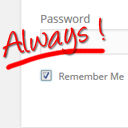
View plugin details ↗Always checked 'Remember Me' checkbox and longer auth cookie expiration. Your blog will remember you.
★ 5.0/5 (2)400+ active installations
- Version
- 1.0
- WordPress
- 3.0+
- PHP
- 5.6+
- Updated
- 8 May 2026
View plugin details ↗Add Google’s simple checkbox reCAPTCHA to WordPress wp-admin login page.
★ 5.0/5 (2)200+ active installations
- Version
- 2.0
- WordPress
- 3.0.1+
- Updated
- 15 Jun 2026
View plugin details ↗Next Active Directory Integration allows WordPress to authenticate, authorize, create and update users against Microsoft Active Directory.
★ 4.8/5 (16)2,000+ active installations
- Version
- 3.2.4
- WordPress
- 6.0+
- Updated
- 26 Aug 2026
View plugin details ↗Protect your WordPress with SecuPress, analyze and ensure the safety of your website daily.
★ 4.1/5 (106)40,000+ active installations
- Version
- 2.7.4
- WordPress
- 5.5+
- PHP
- 7.3+
- Updated
- 6 Nov 2026
View plugin details ↗Stop bots from brute force hacking your wp-login.php
★ 5.0/5 (1)100+ active installations
- Version
- 1.1.2
- WordPress
- 5.0+
- PHP
- 8.2+
- Updated
- 2 Oct 2026
View plugin details ↗Optimize and tweak WordPress by disable unused features. Improve performance, SEO and security using Clearfy — super easy, fast and zero code.
★ 4.7/5 (339)40,000+ active installations
- Version
- 2.4.3
- WordPress
- 6.0+
- PHP
- 7.4+
- Updated
- 23 Jul 2026
View plugin details ↗ChatBot.com for WP, using a ChatGPT-like AI to self-learn and create replies. Easy training based on the website content. Quick setup, easy installati …
★ 3.7/5 (10)1,000+ active installations
- Version
- 1.1.5
- WordPress
- 3.4+
- PHP
- 5.6+
- Updated
- 3 Aug 2026
View plugin details ↗Beautiful maintenance and coming-soon pages with a true live preview. Build it, see it, ship it - no save-refresh-repeat.
80+ active installations
- Version
- 1.1.4
- WordPress
- 6.2+
- PHP
- 7.4+
- Updated
- 27 Sep 2026
View plugin details ↗Locally mirror commenters' Gravatar or Mastodon profile images.
★ 5.0/5 (1)30+ active installations
- Version
- 1.5
- WordPress
- 2.7+
- Updated
- 30 Aug 2026
View plugin details ↗Protect your WordPress site by detecting, blocking and reporting malicious IPs using the AbuseIPDB API. Includes brute-force protection.
★ 5.0/5 (2)70+ active installations
- Version
- 1.4.2
- WordPress
- 6.0+
- PHP
- 8.0+
- Updated
- 30 Oct 2026
View plugin details ↗