

Easy Hide Login
By WebFactory
Hide wp-login.php file, prevent attacks on login form, hide login & increase security. No files are changed.
★ 4.4/5 (43)20,000+ active installations
- Version
- 1.7
- WordPress
- 5.0+
- Updated
- 13 Sep 2026
WORDPRESS RESOURCES
Explore public plugin information from the official WordPress.org directory. Compare what a plugin does, its requirements and update history before adding it to your website.
Explore WordPress hosting →871 matching plugins reported by WordPress.org · Page 2 of 50
Source: WordPress.org
Data refreshed 22 Nov 2026 21:06 UTC
By WebFactory
Hide wp-login.php file, prevent attacks on login form, hide login & increase security. No files are changed.

By Jeff Farthing
Frontend login, registration and password reset pages that match your theme, at your own URLs, instead of the default wp-login.php screen.

By Softaculous
Loginizer is a WordPress security plugin which helps you fight against bruteforce attacks.
Give your WordPress or WooCommerce website a modern login experience with beautiful, fast, and fully customizable forms.

By CleanTalk Inc
Protect WordPress from malware, hackers, brute-force attacks & suspicious traffic. Includes firewall, login security, 2FA & vulnerability checks.

By Really Simple Plugins
Easily improve site security with WordPress Hardening, Two-Factor Authentication (2FA), Login Protection, Vulnerability Detection and SSL certificate.

By Melapress
Enforce WordPress login and password security policies to protect user accounts and prevent unauthorized logins.
Harden your site security with Login Security, Two-Factor Authentication (2FA), Vulnerability Scanner, Firewall, and more. Formerly iThemes Security.

By ScriptsTown
Secure WordPress login, registration, and comment form with Google reCAPTCHA or Cloudflare Turnstile. Prevent Brute-force attacks and more.
By Robert Peake
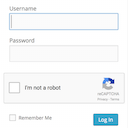
Adds a Google No Captcha ReCaptcha checkbox to your Wordpress and Woocommerce login, forgot password, and user registration pages.

By storeapps
Give developers or support staff temporary admin access to your WordPress site — no username, no password, and it expires automatically.

By colorlibplugins
Customize your WordPress login page with live preview. Change logo, background, colors, and form styling without coding.
CHOOSE WHAT YOUR WEBSITE NEEDS
Start with the task you need to solve. Compare features, WordPress and PHP requirements, update history and the author’s documentation. Test changes on a private copy and avoid adding several plugins for the same job.
This independent directory displays plugin information on WebFulHost and links to the official source. Packages are not mirrored or installed here. A plugin can include paid extensions or services with separate terms from its author.

