Simple Shortcode for Google Maps
By fullworks
A simple shortcode for embedding Google Maps in any WordPress post, page or widget.
★ 4.6/5 (46)3,000+ active installations
- Version
- 1.8.3
- WordPress
- 4.6+
- PHP
- 7.4+
- Updated
- 22 Jun 2026
WORDPRESS RESOURCES
Explore public plugin information from the official WordPress.org directory. Compare what a plugin does, its requirements and update history before adding it to your website.
Explore WordPress hosting →418 matching plugins reported by WordPress.org · Page 2 of 35
Source: WordPress.org
Data refreshed 20 Nov 2026 07:36 UTC
By fullworks
A simple shortcode for embedding Google Maps in any WordPress post, page or widget.

By Ali Ali
Alpha Google Map For Elementor offers premium Google Map features for WordPress, enhancing your site with advanced map functionalities.
AI maps for WordPress. Turn one prompt into interactive SVG maps, image maps, floor plans or Google Maps.

By TravelMap
Create and display a beautiful, interactive travel map on your website. Choose your transport modes, update your itinerary using geolocation, etc.
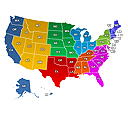
Create engaging Interactive United States Maps in WordPress for free. It's easy to install, simple, and highly customizable.

By Chandni Patel
Easy to use, WordPress Map plugin based on Open Street Map and Leaflet with custom markers images, descriptions and links.

By Robert Seyfriedsberger
The most comprehensive & user-friendly mapping solution for WordPress

By WP Easy Soft
Create Store locator & interactive map with Google Maps, Mapbox & OpenStreetMap. Add multiple locations, custom markers, popups, drawing & routes.

Allow customers to select delivery/pickup spots on Google Maps at Checkout. Create shipping workflows for smooth order handling and better pricing.

By mihdan
Yandex Maps widget for Elementor

By Meta Box
Developer framework to create custom fields and meta boxes with code. No admin UI: for a UI, install the free Meta Box Lite.
Maps that work without an API key: a visual map builder, a store locator with "near me" search, and clickable world and region maps.
CHOOSE WHAT YOUR WEBSITE NEEDS
Start with the task you need to solve. Compare features, WordPress and PHP requirements, update history and the author’s documentation. Test changes on a private copy and avoid adding several plugins for the same job.
This independent directory displays plugin information on WebFulHost and links to the official source. Packages are not mirrored or installed here. A plugin can include paid extensions or services with separate terms from its author.