

AdminGrip
By Neutrope Inc.
Reorder the WordPress admin menu directly in the sidebar with drag and drop. No settings screen.
0+ active installations
- Version
- 0.1.1
- WordPress
- 6.5+
- PHP
- 7.4+
- Updated
- 2 Sep 2026
WORDPRESS RESOURCES
Explore public plugin information from the official WordPress.org directory. Compare what a plugin does, its requirements and update history before adding it to your website.
Explore WordPress hosting →69 matching plugins reported by WordPress.org · Page 2 of 6
Source: WordPress.org
Data refreshed 20 Nov 2026 02:18 UTC
By Neutrope Inc.
Reorder the WordPress admin menu directly in the sidebar with drag and drop. No settings screen.

By MySolutionGuy
A simple AI article writer and image generator. Create complete WordPress articles with featured and in-article images.

By Stephen Walker
View Cabin Analytics in a Cabin-style WordPress dashboard, with optional widgets, blocks, shortcodes, and popular content.
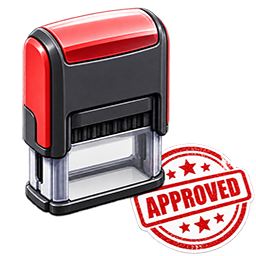
By simplestampdesigner
Let customers design custom stamp text right on the product page — millimeter-precise, export-ready for laser engraving.

By matthewneilcowan
A movable, graphics-editor-style toolbar for the block editor. Click a tool, then click the canvas to insert a core block at that point.
Show your opening hours with a live "open now" status that automatically knows the German public holidays of your federal state.

By Thong Dang
Let customers upload an image, add custom text on the product canvas, and save the final design with the cart/order.

By FWD
A visual product designer for WordPress and WooCommerce with editable text, images, shapes, artwork, product views and print-ready export.

By LotPress
Create searchable vehicle listings, VIN-powered records, photo galleries, and a dealership inventory storefront in WordPress.

By MistiCuantum
Paste a video or image URL. Publish. Click and media pops out—even from within your text. Drag it around. Create your own floating world with ease.

By Gopal Bogati
A free virtual fitting room for any WordPress site. Visitors try clothes on their own photo — automatically fitted, right in their browser.

By Isamu Takeda
It is a plug-in that collects small scale blocks.
CHOOSE WHAT YOUR WEBSITE NEEDS
Start with the task you need to solve. Compare features, WordPress and PHP requirements, update history and the author’s documentation. Test changes on a private copy and avoid adding several plugins for the same job.
This independent directory displays plugin information on WebFulHost and links to the official source. Packages are not mirrored or installed here. A plugin can include paid extensions or services with separate terms from its author.
