Back up, restore, and protect your WordPress website with automated backups, cloud storage, one-click recovery, and AI-assisted backup management.
★ 4.0/5 (1,323)400,000+ active installations
- Version
- 5.7.8
- WordPress
- 5.3+
- PHP
- 7.4+
- Updated
- 14 Oct 2026
View plugin details ↗AI-powered bulk rename, bulk edit metadata, compress images, find duplicates, clean up unused media, and more.
★ 4.7/5 (14)1,000+ active installations
- Version
- 2.4.0
- WordPress
- 6.5+
- PHP
- 7.4+
- Updated
- 14 Sep 2026
View plugin details ↗
By David Anderson / Team Updraft
Backup, restore or migrate your WordPress website to another host or domain. Schedule backups or run manually. Migrate in minutes.
★ 4.8/5 (8,736)4,000,000+ active installations
- Version
- 1.26.16
- WordPress
- 3.9+
- Updated
- 18 Nov 2026
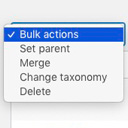
View plugin details ↗Allows you to merge terms, move terms between taxonomies, and set term parents, individually or in bulk.
★ 4.9/5 (76)10,000+ active installations
- Version
- 2.0.2
- WordPress
- 4.2+
- PHP
- 7.1+
- Updated
- 11 Dec 2025
View plugin details ↗Bing URL Submission Plugin for WordPress enables site owners to instantly and automatically submit their new/updated pages to the Bing index.
★ 3.3/5 (21)40,000+ active installations
- Version
- 1.0.13
- WordPress
- 5.3+
- PHP
- 5.6.20+
- Updated
- 21 May 2026
View plugin details ↗WooCommerce AI toolkit: bulk product descriptions, titles, SEO meta, FAQs, chatbot. Run it from ChatGPT or Claude via MCP. Less effort, more output.
★ 4.8/5 (16)500+ active installations
- Version
- 2.8.3
- WordPress
- 6.6+
- PHP
- 7.4+
- Updated
- 10 Nov 2026
View plugin details ↗
By WPMU DEV - Your All-in-One WordPress Platform
Best WordPress form builder plugin. Create contact forms, payment forms & order forms with 1000+ integrations.
★ 4.8/5 (2,153)600,000+ active installations
- Version
- 1.58.6
- WordPress
- 6.4+
- PHP
- 7.4+
- Updated
- 17 Nov 2026
View plugin details ↗Automatically store media on Amazon S3, Cloudflare R2, Google Cloud Storage, DigitalOcean Spaces + others. Serve CSS/JS assets through CDNs.
★ 3.5/5 (116)7,000+ active installations
- Version
- 4.7.4
- WordPress
- 4.9+
- PHP
- 7.4+
- Updated
- 27 Oct 2026
View plugin details ↗
By WPMU DEV - Your All-in-One WordPress Platform
Broken Link Checker helps you catch broken links & images fast, before they hurt your SEO or UX. Scan and bulk-fix issues from one easy dashboard.
★ 3.8/5 (604)500,000+ active installations
- Version
- 2.4.15.1
- WordPress
- 6.2+
- PHP
- 7.4+
- Updated
- 17 Nov 2026
View plugin details ↗Publish your cookie banner or notice in minutes. Automatically scan cookies, and create policies to align with GDPR, CCPA, and Google Consent Mode.
★ 4.7/5 (1,673)1,000,000+ active installations
- Version
- 7.5.7
- WordPress
- 5.9+
- PHP
- 7.4+
- Updated
- 4 Nov 2026
View plugin details ↗The #1 user-rated activity log plugin for event logging, activity monitoring and change tracking.
★ 4.7/5 (493)300,000+ active installations
- Version
- 5.7.0
- WordPress
- 5.5+
- PHP
- 7.4+
- Updated
- 5 Nov 2026
View plugin details ↗Adds information to the network admin sites, plugins and themes page. Allows you to easily see what theme and plugins are enabled on a site.
★ 5.0/5 (2)20+ active installations
- Version
- 1.22
- WordPress
- 5.8+
- PHP
- 7.2+
- Updated
- 3 Apr 2026
View plugin details ↗