The WordPress admin bar reimagined. Replace it with a quick access panel, auto-hide it or hide it for specific user roles.
★ 4.8/5 (19)3,000+ active installations
- Version
- 5.0.1
- WordPress
- 5.0+
- PHP
- 7.4+
- Updated
- 16 Nov 2026
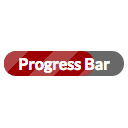
View plugin details ↗A simple progress bar shortcode that can be styled with CSS
★ 5.0/5 (24)1,000+ active installations
- Version
- 2.2.5
- WordPress
- 3.4+
- PHP
- 7.0+
- Updated
- 13 Sep 2026
View plugin details ↗This plugin allow you to display the latest posts or latest comments in a bar with twenty seven beautiful animations and effects...
★ 5.0/5 (25)1,000+ active installations
- Version
- 3.5.1
- WordPress
- 5.9+
- PHP
- 5.6.20+
- Updated
- 23 Nov 2026
View plugin details ↗The Events Calendar: #1 calendar plugin for WordPress. Create/manage events (virtual too!) on your site with the free plugin.
★ 4.2/5 (2,467)600,000+ active installations
- Version
- 6.18.5
- WordPress
- 6.9+
- PHP
- 7.4+
- Updated
- 25 Nov 2026
View plugin details ↗Create Announcement Bars, Notification Bars & Popup Campaigns with countdown timers, A/B testing, smart targeting & analytics.
★ 4.2/5 (39)9,000+ active installations
- Version
- 2.0.7
- WordPress
- 5.3+
- Updated
- 17 Nov 2026
View plugin details ↗This plugin adds an auto-hide feature to the WordPress Admin Bar or Toolbar.
★ 4.8/5 (32)3,000+ active installations
- Version
- 1.8.0
- WordPress
- 6.0+
- PHP
- 8.4+
- Updated
- 28 Nov 2026
View plugin details ↗A simple plugin for displaying a notice at the top of your website that can be closed by the visitor. Completely free and minimal without any upsells.
★ 4.6/5 (16)9,000+ active installations
- Version
- 1.7
- WordPress
- 6.3+
- PHP
- 7.4+
- Updated
- 10 Mar 2026
View plugin details ↗Simply the easiest way to add a topbar to your website. Create a notification bar in no-time and show a message and a button to your visitors.
★ 4.0/5 (43)10,000+ active installations
- Version
- 3.0.6
- WordPress
- 3.6+
- Updated
- 29 Jan 2026
View plugin details ↗Motivate customers to reach the free shipping threshold with a visual free shipping bar, dynamic messages and progress tracker.
★ 4.7/5 (40)2,000+ active installations
- Version
- 1.3.4
- WordPress
- 5.0+
- PHP
- 7.4+
- Updated
- 13 Nov 2026
View plugin details ↗Hides the WordPress toolbar (admin bar) for all non-admin users. Simple plugin with no settings to configure.
★ 4.3/5 (30)10,000+ active installations
- Version
- 1.0.2
- WordPress
- 5.2+
- Updated
- 13 Aug 2026
View plugin details ↗Scrolling news ticker for WordPress. Build a breaking news bar from your posts or your own headlines, then place it with a block or a shortcode.
★ 5.0/5 (3)100+ active installations
- Version
- 1.3.3
- WordPress
- 6.7+
- PHP
- 7.4+
- Updated
- 12 Oct 2026
View plugin details ↗Hide the WordPress admin bar by user role, block wp-admin access, redirect after login, and tidy the admin menu and notices for each role.
★ 3.9/5 (21)20,000+ active installations
- Version
- 7.5.0
- WordPress
- 5.5+
- PHP
- 5.6+
- Updated
- 12 Oct 2026
View plugin details ↗