

Design professional news and magazine sites with post grid, slider, list layouts, advanced post filters, and pagination.
★ 4.8/5 (266)30,000+ active installations
- Version
- 5.1.8
- WordPress
- 6.0+
- PHP
- 7.4+
- Updated
- 19 Nov 2026
WORDPRESS RESOURCES
Explore public plugin information from the official WordPress.org directory. Compare what a plugin does, its requirements and update history before adding it to your website.
Explore WordPress hosting →4,220 matching plugins reported by WordPress.org · Page 2 of 50
Source: WordPress.org
Data refreshed 27 Nov 2026 19:58 UTC
Design professional news and magazine sites with post grid, slider, list layouts, advanced post filters, and pagination.

By Nks
Display YouTube, Vimeo and DailyMotion videos in a beautiful, fully responsive video grid with a pop-up lightbox — no coding required.
News & Blog plugin for post grid, post slider, post carousel, post filter, masonry, ticker & list category posts using shortcode, Elementor & Divi.

By blazethemes
All-in-one Elementor addons designed specifically for news and magazine websites.

By Brecht
Easily create filterable responsive grids for your posts, pages or custom post types
Lightweight Elementor addon for news, blog & magazine sites with post grids, sliders, tickers, template kits & custom header footer builder.

Display posts in Grid, Carousel, Slider, Timeline, List & Live Filter layouts with Gutenberg Blocks & Ready Patterns - Elementor, Divi, & Shortcodes.

By classictemplate
Classic Blog Grid : A plugin to display blog posts in various grid formats: list, masonry, and slider.
Create a responsive portfolio grid with a Filterable portfolio grid, portfolio gallery and portfolio slider for WordPress, Elementor and lightbox.
Show WooCommerce products in carousels, sliders and grids with hover image swap, quick view and fade effects. Works with Gutenberg and Elementor.
By WP Darko
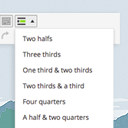
A responsive and easy-to-use tool for dividing your content in your posts/pages. This ultra-lightweight plugin allows you to put your content in colum …
Build beautiful post grids, sliders, and complete news website layouts using Elementor, Gutenberg, or shortcodes — no coding needed.
CHOOSE WHAT YOUR WEBSITE NEEDS
Start with the task you need to solve. Compare features, WordPress and PHP requirements, update history and the author’s documentation. Test changes on a private copy and avoid adding several plugins for the same job.
This independent directory displays plugin information on WebFulHost and links to the official source. Packages are not mirrored or installed here. A plugin can include paid extensions or services with separate terms from its author.




