

Organize thousands of WordPress media files in folders / categories with ease.
★ 4.7/5 (1,125)200,000+ active installations
- Version
- 6.5.9
- WordPress
- 3.0+
- PHP
- 7.4+
- Updated
- 13 Oct 2026
WORDPRESS RESOURCES
Explore public plugin information from the official WordPress.org directory. Compare what a plugin does, its requirements and update history before adding it to your website.
Explore WordPress hosting →398 matching plugins reported by WordPress.org · Page 2 of 34
Source: WordPress.org
Data refreshed 20 Nov 2026 08:35 UTC
Organize thousands of WordPress media files in folders / categories with ease.
Boost productivity with ChatGPT AI Engine: automate content creation, enhance Gutenberg editing, and deploy AI chatbots for smarter, faster workflows.
By Web Builder 143
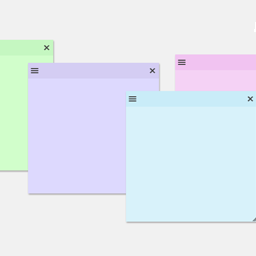
Create sticky notes in your WP admin for reminders and to-dos. Restrict notes by user roles and disable them on specific pages.
The easiest drag & drop form builder for WordPress. Create contact forms, surveys, and lead capture forms in minutes with 38+ fields and 21+ integ …

By Kyle Van Deusen
A simple, lightweight note-taking system inside the WordPress admin. Keep general, page-level, and block-level notes all in one place.

The Simplest Project & Task Management Plugin Specifically Crafted for Agencies, Freelancers & Founders.

By Softaculous
Visual kanban boards inside WordPress. Drag-and-drop task management with custom columns, subtasks, roles and optional Deskuss ticket sync.

By David Anderson / Team Updraft
Remote, single-dashboard management for WordPress/theme/plugin updates and UpdraftPlus backups across all your WP sites

By Jeff Starr
Adds 9 awesome widgets to your WP Dashboard. Includes User Notes, Social Buttons, System Info, Debug/Error Logs, and more!

By echoplugins
Write articles and documents faster and more easily using our powerful and practical Elementor widgets.

Widget Options gives you super powers to control your site’s sidebar widgets and all Gutenberg blocks on pages, posts & other custom post types.
By Megiston
Moves admin notices into a bell panel in the admin bar. Nothing stored, nothing lost: success messages and inline notices stay where they are.
CHOOSE WHAT YOUR WEBSITE NEEDS
Start with the task you need to solve. Compare features, WordPress and PHP requirements, update history and the author’s documentation. Test changes on a private copy and avoid adding several plugins for the same job.
This independent directory displays plugin information on WebFulHost and links to the official source. Packages are not mirrored or installed here. A plugin can include paid extensions or services with separate terms from its author.

