

Elementor table plugin to build responsive tables in Elementor with drag & drop: merge cells, colspan, rowspan, striped rows and full styling.
★ 3.2/5 (19)20,000+ active installations
- Version
- 3.0.0
- WordPress
- 5.2+
- PHP
- 7.4+
- Updated
- 18 Nov 2026
WORDPRESS RESOURCES
Explore public plugin information from the official WordPress.org directory. Compare what a plugin does, its requirements and update history before adding it to your website.
Explore WordPress hosting →3,030 matching plugins reported by WordPress.org · Page 2 of 50
Source: WordPress.org
Data refreshed 22 Nov 2026 04:05 UTC
Elementor table plugin to build responsive tables in Elementor with drag & drop: merge cells, colspan, rowspan, striped rows and full styling.

By David Gwyer
Build a responsive HTML sitemap in the block editor with live preview, flexible sorting, tabs, and shortcode support.
By porteaudesign
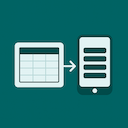
A lightweight Elementor widget for creating responsive tables that stack into mobile-friendly cards.

By metaphorcreations
Ditty offers a range of content display options, including its signature news ticker and customizable layouts.

By MIGHTYminnow
Easily equalize the height of columns or any collection of elements.
Responsive pricing tables and comparison tables with a drag-and-drop builder. Templates, badges, icons and buttons included.

Post Slider and Post Carousel display WordPress post in slider and carousel layouts with shortcode and Latest/Recent vertical post scrolling widget.

By Greg - SiteOrigin
Essential elements for modern websites. Add buttons, sliders, heroes, maps, images, carousels, features, icons, more. Create dynamic pages easily.

By A WP Life
Display pricing plans with responsive tables. Unlimited packages, 4 templates, shortcode support. Works with Elementor and Gutenberg.

By Polygon Themes
Easily change the number of dashboard columns from Screen Options.
Create responsive photo, image and masonry galleries in WordPress with FooGallery, plus carousel, lightbox, albums, SEO and video gallery support.

By Ready Steady Websites
This plugin adds a visual responsive guide to Beaver Builder with a click of a button.
CHOOSE WHAT YOUR WEBSITE NEEDS
Start with the task you need to solve. Compare features, WordPress and PHP requirements, update history and the author’s documentation. Test changes on a private copy and avoid adding several plugins for the same job.
This independent directory displays plugin information on WebFulHost and links to the official source. Packages are not mirrored or installed here. A plugin can include paid extensions or services with separate terms from its author.

