

Appointment booking system for WordPress — schedule appointments, manage calendars, send reminders, take payments. Start booking today!
★ 4.4/5 (587)60,000+ active installations
- Version
- 28.8
- WordPress
- 3.7+
- PHP
- 5.3.7+
- Updated
- 12 Nov 2026
WORDPRESS RESOURCES
Explore public plugin information from the official WordPress.org directory. Compare what a plugin does, its requirements and update history before adding it to your website.
Explore WordPress hosting →2,677 matching plugins reported by WordPress.org · Page 2 of 50
Source: WordPress.org
Data refreshed 20 Nov 2026 13:31 UTC
Appointment booking system for WordPress — schedule appointments, manage calendars, send reminders, take payments. Start booking today!
A fast, lightweight responsive thumbnail slider for WordPress — modern animation engine, lightbox, captions, and full theme/builder compatibility.
Free Elementor addons plugin with 80+ widgets, 5+ extensions, Theme builder, 250+ Elementor templates, 500+ modern UI sections for Elementor websites.

By Joachim Jensen
Display new sidebars on any post, page, category etc. Works with Classic Widgets, Block Widgets, and all themes!

By CyberChimps
50+ blocks to create rich sections in the Gutenberg editor. Use professional starter block patterns & templates to create websites within minutes.
By WP Darko
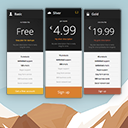
A responsive and elegant way to present your offer to your visitors. Create a new pricing table now and copy-paste the shortcode anywhere.

By David Gwyer
Build a responsive HTML sitemap in the block editor with live preview, flexible sorting, tabs, and shortcode support.
Build a beautiful, responsive, and filterable portfolio grid with images, videos, and custom links in minutes. Includes a native Gutenberg block.

By A WP Life
Display pricing plans with responsive tables. Unlimited packages, 4 templates, shortcode support. Works with Elementor and Gutenberg.

By cubecolour
Create responsive tabs inside your posts, pages or custom post content by adding simple shortcodes inside the post editor.

By aviplugins.com
This is a simple login form in the widget. This will allow users to login to the site from frontend.
Create sticky / fixed / popup bubble and flyout sidebars and add your widgets to it.
CHOOSE WHAT YOUR WEBSITE NEEDS
Start with the task you need to solve. Compare features, WordPress and PHP requirements, update history and the author’s documentation. Test changes on a private copy and avoid adding several plugins for the same job.
This independent directory displays plugin information on WebFulHost and links to the official source. Packages are not mirrored or installed here. A plugin can include paid extensions or services with separate terms from its author.



