

Restrict content based on login status, user roles, device type & more. Monetize your content with a paywall or members-only content.
★ 4.9/5 (576)40,000+ active installations
- Version
- 2.7.4
- WordPress
- 6.2+
- PHP
- 7.4+
- Updated
- 29 Sep 2026
WORDPRESS RESOURCES
Explore public plugin information from the official WordPress.org directory. Compare what a plugin does, its requirements and update history before adding it to your website.
Explore WordPress hosting →3,133 matching plugins reported by WordPress.org · Page 2 of 50
Source: WordPress.org
Data refreshed 20 Nov 2026 05:15 UTC
Restrict content based on login status, user roles, device type & more. Monetize your content with a paywall or members-only content.

Powerful user profile plugin to create front-end user registration forms, login & user profile forms. Includes user role editor & content restriction.
By add-ons.org
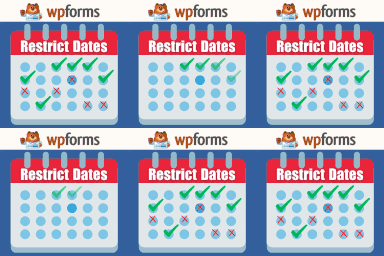
Restrict Dates is a WPForms add-on that restricts users from selecting specific dates in your WPForms date picker field.

By Kushang Tailor
Restrict WP Upload Type gives you complete control over which files your users can upload to WordPress.

Membership & community plugin with user profiles, registration & login, member directories, content restriction, user roles and much more.

By Nexcess
Kadence Memberships is a powerful WordPress membership plugin that gives you full control over who can and cannot view content on your WordPress site.

Paid membership & LMS plugin. Sell courses, subscriptions & digital products, paywall content, and add login & registration forms and user profiles.

By 10up
Limit access to visitors who are logged in or allowed by IP addresses. Includes many options for handling blocked visitors.

By SeventhQueen
Restrict BuddyPress profiles, groups, activity, and messages by login status, membership level, or profile field.

By Softaculous
Loginizer is a WordPress security plugin which helps you fight against bruteforce attacks.

By Christian Leuenberg
Adds a shortcode to restrict content from anonymous users.

By Yoast
The go-to tool for cloning posts and pages, including the powerful Rewrite & Republish feature.
CHOOSE WHAT YOUR WEBSITE NEEDS
Start with the task you need to solve. Compare features, WordPress and PHP requirements, update history and the author’s documentation. Test changes on a private copy and avoid adding several plugins for the same job.
This independent directory displays plugin information on WebFulHost and links to the official source. Packages are not mirrored or installed here. A plugin can include paid extensions or services with separate terms from its author.