

Restrict content based on login status, user roles, device type & more. Monetize your content with a paywall or members-only content.
★ 4.9/5 (576)40,000+ active installations
- Version
- 2.7.4
- WordPress
- 6.2+
- PHP
- 7.4+
- Updated
- 29 Sep 2026
WORDPRESS RESOURCES
Explore public plugin information from the official WordPress.org directory. Compare what a plugin does, its requirements and update history before adding it to your website.
Explore WordPress hosting →3,134 matching plugins reported by WordPress.org · Page 2 of 50
Source: WordPress.org
Data refreshed 20 Nov 2026 09:53 UTC
Restrict content based on login status, user roles, device type & more. Monetize your content with a paywall or members-only content.

By Really Simple Plugins
Easily improve site security with WordPress Hardening, Two-Factor Authentication (2FA), Login Protection, Vulnerability Detection and SSL certificate.
Complete WordPress LMS plugin. Build & sell online courses with quizzes, certificates, and built-in payments. The all-in-one LMS for course creators.

By Restrict
Show or hide Elementor sections, columns and widgets with ease using many different criteria

By PluginsCafe
Restrict selectable dates in the default Gravity Forms date picker: set min/max dates, disable weekdays and specific dates, and more.

By Vlado Grcic
Restrict access to your WordPress pages using WooCommerce products.
User role editing for WordPress. Manage user roles, control capabilities and permissions, and restrict admin access for any role.
By add-ons.org
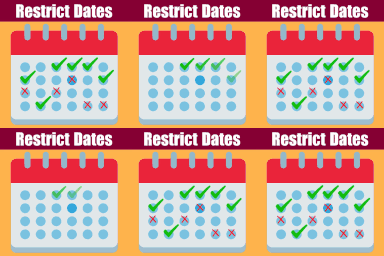
Restrict Dates is a Elementor Forms add-on that restricts users from selecting specific dates in your Elementor Forms date picker field.
Restrict content easily to logged in users, members with a specific role or user capability, to it's author, Tickera, Venuera, Easy Digital Downl …

By Chad Butler
The original WordPress membership plugin with content restriction, user login, custom registration fields, user profiles, and more.

By Christoph Vielgrader
Relevanssi replaces the default search with a partial-match search that sorts results by relevance. It also indexes comments and shortcode content.

By 10up
Enable SVG uploads and sanitize them to stop XML/SVG vulnerabilities in your WordPress website.
CHOOSE WHAT YOUR WEBSITE NEEDS
Start with the task you need to solve. Compare features, WordPress and PHP requirements, update history and the author’s documentation. Test changes on a private copy and avoid adding several plugins for the same job.
This independent directory displays plugin information on WebFulHost and links to the official source. Packages are not mirrored or installed here. A plugin can include paid extensions or services with separate terms from its author.


