
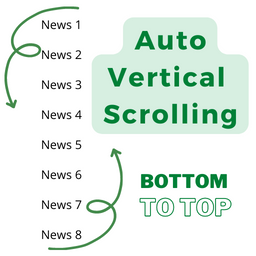
Post Auto Vertical Scrolling
By Md. Shahinur Islam
Post Auto Vertical Scrolling plugins bottom to top. Simple but flexible.
★ 5.0/5 (3)100+ active installations
- Version
- 2.2.3
- WordPress
- 5.9+
- PHP
- 7.4+
- Updated
- 13 Apr 2026
WORDPRESS RESOURCES
Explore public plugin information from the official WordPress.org directory. Compare what a plugin does, its requirements and update history before adding it to your website.
Explore WordPress hosting →2,255 matching plugins reported by WordPress.org · Page 2 of 50
Source: WordPress.org
Data refreshed 20 Nov 2026 06:14 UTC
By Md. Shahinur Islam
Post Auto Vertical Scrolling plugins bottom to top. Simple but flexible.
Marquee, scrolling text and logo carousel widgets for Elementor. Seamless infinite loop, no jQuery, no external requests.
Elementor templates, Header footer builder, Elementor Post Grid, Woocommerce Grid builder, Slider, Forms, Gallery, Nav menu addons, Elementor widgets.

By jiteshgondaliya
Scroll text horizontally or vertically with tickers, a classic widget, shortcode, block, templates, analytics, and accessible CSS animations.
HappyAddons packs Header Footer Builder, Megamenu, Single Post, Archive Page, & 500+ Ready Templates into one powerful Elementor Addons plugin.

By Debuggers Studio
Marquee Addons is a smooth video, text, image, and testimonial marquee carousel loop plugin for Elementor on WordPress

By Qode
Qi Addons for Elementor is a comprehensive library of 60+ custom, flexible & easily styled Elementor widgets developed by Qode Interactive.

By Magazine3
Adds a user friendly and fully automatic way to create and display a table of contents generated from the page content.

By Sina Extra
A collection of advanced features including Header & Footer Builder, Theme Builder, Popup Builder, 58 elements, 100+ free templates and more.

By kubiq
Smooth scrolling experience, with mousewheel, touchpad or keyboard
Custom scrollbar for WordPress – style color, width, rail, and scroll speed, plus cursor shapes and click effects. Lightweight, no code required.

By webvitalii
[iframe src="http://www.youtube.com/embed/7_nAZQt9qu0" width="100%" height="500"] shortcode
CHOOSE WHAT YOUR WEBSITE NEEDS
Start with the task you need to solve. Compare features, WordPress and PHP requirements, update history and the author’s documentation. Test changes on a private copy and avoid adding several plugins for the same job.
This independent directory displays plugin information on WebFulHost and links to the official source. Packages are not mirrored or installed here. A plugin can include paid extensions or services with separate terms from its author.



