The ultimate companion for OceanWP. Adds local Google Fonts, mega menus, site templates, and per-page settings for total design authority.
★ 3.3/5 (67)400,000+ active installations
- Version
- 2.6.3
- WordPress
- 5.9+
- PHP
- 7.4+
- Updated
- 13 Oct 2026
View plugin details ↗Formerly "Instagram Feed". Display clean, customizable, and responsive Instagram feeds from multiple accounts. Supports Instagram oEmbeds.
★ 4.9/5 (4,359)1,000,000+ active installations
- Version
- 6.17.0
- WordPress
- 4.1+
- PHP
- 7.4+
- Updated
- 19 Nov 2026
View plugin details ↗Easy to show posts, pages, custom posts in customizable grid, list, slider, accordion... Available as Widgets (for Elementor), Shortcode, and Blocks.
★ 4.8/5 (333)100,000+ active installations
- Version
- 4.5.2
- WordPress
- 5.0+
- PHP
- 5.6+
- Updated
- 19 Nov 2026
View plugin details ↗Arconix Shortcodes provides a number of useful design elements like buttons, boxes, tabs and toggles to help compliment any website.
★ 4.6/5 (24)3,000+ active installations
- Version
- 2.2.1
- WordPress
- 4.3+
- Updated
- 30 Jul 2026
View plugin details ↗Social media icons and share buttons: 2,400+ icons, block, widget & Elementor. Plus a Click to Chat button for WhatsApp, Telegram & Messenger.
★ 4.9/5 (144)90,000+ active installations
- Version
- 5.0.1
- WordPress
- 6.5+
- PHP
- 7.4+
- Updated
- 14 Nov 2026
View plugin details ↗CMB2 is a metabox, custom fields, and forms library for WordPress that will blow your mind.
★ 5.0/5 (91)300,000+ active installations
- Version
- 2.13.5
- WordPress
- 3.8.0+
- PHP
- 7.4+
- Updated
- 27 Oct 2026
View plugin details ↗Awesome checkout templates is an add on for woocommerce based websites where you can control your checkout pages by changing their layout, color, fiel …
★ 5.0/5 (3)40+ active installations
- Version
- 1.3.1
- WordPress
- 6.9.4+
- PHP
- 8.3+
- Updated
- 23 May 2026
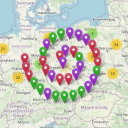
View plugin details ↗Extends the WordPress Plugin Leaflet Map with Leaflet Plugins and other functions.
★ 5.0/5 (24)3,000+ active installations
- Version
- 6.1.3
- WordPress
- 6.8+
- PHP
- 8.2+
- Updated
- 16 Nov 2026
View plugin details ↗Maxbuttons is the best and easiest button plugin for WordPress. Within minutes you can create beautiful buttons, share buttons and social icons.
★ 4.9/5 (1,093)70,000+ active installations
- Version
- 9.8.6
- WordPress
- 5.0+
- PHP
- 7.0+
- Updated
- 30 Sep 2026
View plugin details ↗Highlight your company’s history, milestones, and key events directly inside Elementor using stunning vertical and horizontal timelines.
★ 4.8/5 (248)70,000+ active installations
- Version
- 1.7.4
- WordPress
- 5.0+
- PHP
- 7.2+
- Updated
- 18 Nov 2026
View plugin details ↗Multi-language supported Team Members - Team with Slide is the best plugins to display unlimited team in Carouse and Grid view.
★ 5.0/5 (85)6,000+ active installations
- Version
- 9.6
- WordPress
- 6.0+
- PHP
- 7.0+
- Updated
- 17 Nov 2026
View plugin details ↗Upload your own social media icons or choose from font-awesome. Use widget|shortcode to place icons anywhere(sidebar, header, footer, page) in theme.
★ 4.4/5 (84)20,000+ active installations
- Version
- 4.0.3
- WordPress
- 5.0+
- PHP
- 7.0+
- Updated
- 1 Nov 2026
View plugin details ↗