Social media icons and share buttons: 2,400+ icons, block, widget & Elementor. Plus a Click to Chat button for WhatsApp, Telegram & Messenger.
★ 4.9/5 (146)90,000+ active installations
- Version
- 5.0.4
- WordPress
- 6.5+
- PHP
- 7.4+
- Updated
- 26 Nov 2026
WORDPRESS RESOURCES
Explore public plugin information from the official WordPress.org directory. Compare what a plugin does, its requirements and update history before adding it to your website.
Explore WordPress hosting →9,772 matching plugins reported by WordPress.org · Page 2 of 50
Source: WordPress.org
Data refreshed 26 Nov 2026 20:52 UTC
Social media icons and share buttons: 2,400+ icons, block, widget & Elementor. Plus a Click to Chat button for WhatsApp, Telegram & Messenger.
Share buttons and pop up share icons for social media sharing
By Web Guy
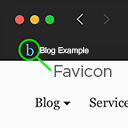
Add a favicon.

By quadlayers
WP Menu Icons allows you to add icons to your WordPress menu items.
20+ Gutenberg Blocks with endless options, enabling top-notch efficiency for high-performance dynamic website creation.

By CyberNetikz
Upload your own social media icons or choose from font-awesome. Use widget|shortcode to place icons anywhere(sidebar, header, footer, page) in theme.
WhatsApp chat, Facebook Messenger, Telegram, TikTok, Instagram, Email, Line, WeChat Phone call, SMS, 20+ live chat icons & WhatsApp chat pop up 💬

By Harish Chouhan
Easily add a custom favicon and Apple touch icon to your WordPress site, including support for dark mode, SVG icons, and admin dashboard branding.

By Daniyal Ahmed (a11n)
Floating social icons, share buttons, a widget & a Gutenberg block, in one fast plugin — completely rebuilt, with a one-click import of your exist …
Social sharing plugin adding social buttons.

By matthias.wagner
Show content of specific posts, pages, ... within their own, additional domains. Useful for SEO: different domains for landingpages.
A modern SVG icon library for WordPress with support for custom uploads and 200,000+ Iconify icons across block editor, page builders, and themes.
CHOOSE WHAT YOUR WEBSITE NEEDS
Start with the task you need to solve. Compare features, WordPress and PHP requirements, update history and the author’s documentation. Test changes on a private copy and avoid adding several plugins for the same job.
This independent directory displays plugin information on WebFulHost and links to the official source. Packages are not mirrored or installed here. A plugin can include paid extensions or services with separate terms from its author.