
Corexa crypto payment
By nazebinan
Accept cryptocurrency payments in WooCommerce using your own wallet addresses, with automatic payment verification.
★ 5.0/5 (2)40+ active installations
- Version
- 1.0.0
- WordPress
- 6.0+
- PHP
- 7.4+
- Updated
- 20 May 2026
WORDPRESS RESOURCES
Explore public plugin information from the official WordPress.org directory. Compare what a plugin does, its requirements and update history before adding it to your website.
Explore WordPress hosting →133 matching plugins reported by WordPress.org · Page 2 of 12
Source: WordPress.org
Data refreshed 23 Nov 2026 07:11 UTC
By nazebinan
Accept cryptocurrency payments in WooCommerce using your own wallet addresses, with automatic payment verification.

By coingate
Accept Crypto Payments with CoinGate for WooCommerce
Secure crypto payment plugin for WordPress

By Joel Stafford
A simple, effective, and elegant support box to help your visitors make cryptocurrency donations.

By guapsie
Web3 authentication gateway using Solana wallets. Say goodbye to passwords.

By lynn999
EthPress Web3 Login Wordpress Plugin adds the capability to connect with cryptocurrency wallets such as MetaMask or Reown QR code.

By VelozaPay
Accept Bitcoin, Ethereum, USDT, USDC, Solana and more on WooCommerce — non-custodial payouts, no KYC, no monthly fees.

By DIVENGINE
Accept Bitcoin and Ethereum payments on your WooCommerce store. Direct-to-wallet, no third-party signup, no withdrawal fees.

By copperxhq
Copperx is the best plugin to accept cryptocurrency payments for your e-commerce store. We support Bitcoin, Ethereum, USDC, USDT, Binance, Coinbase, a …
By odude
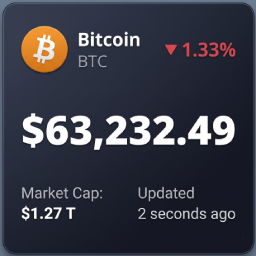
Live crypto prices via DScroll or CoinMarketCap. No API key required. Display using shortcode, Gutenberg block, or Elementor widget.

By Ryan T.
Accept Bitcoin, Ethereum, Solana and XRP payments in WooCommerce with manual transaction verification and live exchange rates.
Accept cards, Apple Pay, Google Pay, and crypto. Features subscriptions, payment links, cart recovery, and KYC discounts.
CHOOSE WHAT YOUR WEBSITE NEEDS
Start with the task you need to solve. Compare features, WordPress and PHP requirements, update history and the author’s documentation. Test changes on a private copy and avoid adding several plugins for the same job.
This independent directory displays plugin information on WebFulHost and links to the official source. Packages are not mirrored or installed here. A plugin can include paid extensions or services with separate terms from its author.