Very lightweight (vanilla) Javascript that wraps search terms in an HTML5 mark tag within WordPress search results.
★ 5.0/5 (40)6,000+ active installations
- Version
- 1.8.5
- WordPress
- 3.7+
- PHP
- 5.6+
- Updated
- 6 Nov 2026
View plugin details ↗Uncover exactly what visitors search for on your site. Stop guessing what content to create, fix content gaps, and boost engagement.
★ 4.9/5 (29)3,000+ active installations
- Version
- 2.1
- WordPress
- 4.8+
- PHP
- 7.0+
- Updated
- 28 Aug 2026
View plugin details ↗Search through all fields in Media Library.
★ 4.4/5 (28)5,000+ active installations
- Version
- 1.0.1
- WordPress
- 3.5+
- Updated
- 9 Sep 2026
View plugin details ↗
By David Anderson / Team Updraft
Protect your WordPress site with All-In-One Security (AIOS): easy-to-use login security, a powerful firewall, and much more.
★ 4.7/5 (1,721)1,000,000+ active installations
- Version
- 5.5.1
- WordPress
- 5.3+
- PHP
- 7.4+
- Updated
- 18 Nov 2026
View plugin details ↗Admin Search adds a simple, easy-to-use interface to your WordPress admin site that gives you and your admin users the ability to search across multip …
★ 4.5/5 (18)1,000+ active installations
- Version
- 1.5.0
- WordPress
- 4.9.2+
- PHP
- 5.2+
- Updated
- 28 May 2026
View plugin details ↗YITH WooCommerce Ajax Search allows your users to search products in real time.
★ 3.0/5 (42)30,000+ active installations
- Version
- 2.30.1
- WordPress
- 6.8+
- PHP
- 7.4+
- Updated
- 10 Nov 2026
View plugin details ↗AIOSEO is the WordPress SEO plugin. Boost SEO rankings with AI SEO tools, schema, meta descriptions, XML sitemaps & rank tracking.
★ 4.7/5 (5,241)2,000,000+ active installations
- Version
- 5.0.5.1
- WordPress
- 5.7+
- PHP
- 7.4+
- Updated
- 13 Nov 2026
View plugin details ↗Extends the default fulltext search with relevance, jet speed and ability to search any posts, metadata, taxonomy, shortcode content and more data.
★ 4.4/5 (28)900+ active installations
- Version
- 1.84.292
- WordPress
- 5.8+
- Updated
- 1 Nov 2026
View plugin details ↗Event search and filter bar for The Events Calendar. Add an event search box, date filters and filtered event lists anywhere with a shortcode.
★ 4.8/5 (29)3,000+ active installations
- Version
- 2.0.4
- WordPress
- 6.3+
- PHP
- 7.4+
- Updated
- 16 Nov 2026
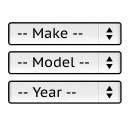
View plugin details ↗It will find products for selected make and model.
★ 5.0/5 (34)1,000+ active installations
- Version
- 1.0.12
- WordPress
- 4.7+
- Updated
- 19 Nov 2026
View plugin details ↗Replace any string visible to site visitors or found in outgoing emails—titles, content, footers, and more. Comes with a dynamic admin interface.
★ 5.0/5 (2)200+ active installations
- Version
- 1.4.3
- WordPress
- 5.0+
- PHP
- 7.2+
- Updated
- 8 Dec 2025
View plugin details ↗NGG Smart Image Search provides smart search and display functionalities for images in NextGEN galleries. It requires NextGEN Gallery to be installed …
★ 4.9/5 (13)400+ active installations
- Version
- 4.1.0
- WordPress
- 6.3+
- PHP
- 7.4+
- Updated
- 27 Oct 2026
View plugin details ↗