

Simple & easy plugin to add social media sharing icons, buttons like Facebook, Twitter, WhatsApp, Instagram & more
★ 4.5/5 (129)10,000+ active installations
- Version
- 8.0
- WordPress
- 5.0+
- PHP
- 5.3+
- Updated
- 24 Sep 2026
WORDPRESS RESOURCES
Explore public plugin information from the official WordPress.org directory. Compare what a plugin does, its requirements and update history before adding it to your website.
Explore WordPress hosting →240 matching plugins reported by WordPress.org · Page 2 of 20
Source: WordPress.org
Data refreshed 21 Nov 2026 02:32 UTC
Simple & easy plugin to add social media sharing icons, buttons like Facebook, Twitter, WhatsApp, Instagram & more

By Webshop Pay
This plugin adds the Pay. Payment Methods to your WooCommerce installation.

By cimatti
Create accessible contact forms with drag-and-drop. WCAG 2.2 compliant with screen reader support, keyboard navigation, and clear error messages.
By Cool Plugins
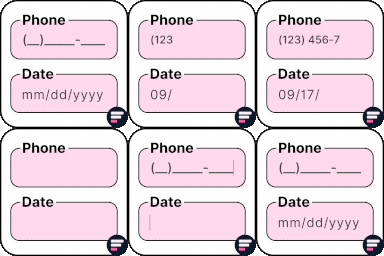
Add input masks to Elementor Pro or Hello Plus form fields - phone, date, time, credit card, CPF, CNPJ, CEP & more for accurate entries.

All-in-one toolkit for Elementor: advanced addons, theme builder, forms, icons & templates to build stunning sites fast and easy.

By ING Pay
Add payment via ING Pay (imoje) to WooCommerce

By Richard Perdaan
Export your WooCommerce orders to MyParcel (www.myparcel.nl) and print labels directly from the WooCommerce admin

By Steve Truman
Set Product Page Rules, Hide Add to Cart, Hide Price, Show Email Inquiry, Filter Rules by Roles for logged in users. 100% Mobile responsive Email Inqu …

By Narinder Singh
Add country drop down with flags and phone number with country phone extension fields in contact form 7.

By paytiumsupport
Mollie forms for payments and donations. With iDEAL | WERO , PayPal, Credit/Debet cards, subscriptions and recurring payments!

By Link Nacional
Payment Gateway for Cielo API for WooCommerce - PIX, Google Pay, Credit Card and Debit Cards.
Multi-language supported Team Members - Team with Slide is the best plugins to display unlimited team in Carouse and Grid view.
CHOOSE WHAT YOUR WEBSITE NEEDS
Start with the task you need to solve. Compare features, WordPress and PHP requirements, update history and the author’s documentation. Test changes on a private copy and avoid adding several plugins for the same job.
This independent directory displays plugin information on WebFulHost and links to the official source. Packages are not mirrored or installed here. A plugin can include paid extensions or services with separate terms from its author.
