
Term Management Tools
By scribu
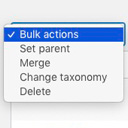
Allows you to merge terms, move terms between taxonomies, and set term parents, individually or in bulk.
★ 4.9/5 (76)10,000+ active installations
- Version
- 2.0.2
- WordPress
- 4.2+
- PHP
- 7.1+
- Updated
- 11 Dec 2025
WORDPRESS RESOURCES
Explore public plugin information from the official WordPress.org directory. Compare what a plugin does, its requirements and update history before adding it to your website.
Explore WordPress hosting →8,441 matching plugins reported by WordPress.org · Page 2 of 50
Source: WordPress.org
Data refreshed 20 Nov 2026 08:02 UTC
By scribu
Allows you to merge terms, move terms between taxonomies, and set term parents, individually or in bulk.
Free vacation rental booking engine with direct bookings, two-way iCal sync, booking calendar, online payments, and guest automation.
Free WooCommerce dashboard & sales report: recover abandoned carts, order export, Google Sheets sync, ROAS, bulk edit & inventory management

By nsp-code
Sort Taxonomy Terms per Post basis using a Drag and Drop Sortable JavaScript capability.

By Rustaurius
Order tracking, status and project management plugin. Create tickets and tracking numbers. Send email updates. Works standalone and with WooCommerce.

By Matt Cromwell
A simple and easy way to reorder your terms in WordPress.

By Igor Jerosimić
Allows theme developers to add order/sort functionality for categories, tags and custom taxonomies.

By nutttaro
WP Taxonomy Order is a plugin that allows for the ordering of taxonomy or category for WordPress.

By Rolf Allard van Hagen
Very lightweight (vanilla) Javascript that wraps search terms in an HTML5 mark tag within WordPress search results.

By hijiri
Intuitively reorder Posts, Pages, Custom Post Types, Taxonomies, and Sites with a simple drag-and-drop interface.

By David Anderson / Team Updraft
Backup, restore or migrate your WordPress website to another host or domain. Schedule backups or run manually. Migrate in minutes.

By Nitin Prakash
Allow customers to place orders without payment. Ideal for pay-later, B2B, wholesale, and quote-based checkout workflows.
CHOOSE WHAT YOUR WEBSITE NEEDS
Start with the task you need to solve. Compare features, WordPress and PHP requirements, update history and the author’s documentation. Test changes on a private copy and avoid adding several plugins for the same job.
This independent directory displays plugin information on WebFulHost and links to the official source. Packages are not mirrored or installed here. A plugin can include paid extensions or services with separate terms from its author.

