SeaLegs AI
By SeaLegs AI
Free NOAA tide charts for any page or post. Adds a Tide Chart block and a [sealegs_tides] shortcode. No API key or signup.
0+ active installations
- Version
- 1.0.0
- WordPress
- 6.5+
- PHP
- 7.4+
- Updated
- 5 Oct 2026
WORDPRESS RESOURCES
Explore public plugin information from the official WordPress.org directory. Compare what a plugin does, its requirements and update history before adding it to your website.
Explore WordPress hosting →31 matching plugins reported by WordPress.org · Page 2 of 3
Source: WordPress.org
Data refreshed 20 Nov 2026 07:46 UTC
By SeaLegs AI
Free NOAA tide charts for any page or post. Adds a Tide Chart block and a [sealegs_tides] shortcode. No API key or signup.

By bryanaamot
This widget is perfect for anyone who wants accurate, low-cost tide predictions on their website. WorldTides.info provides tide predictions at consume …

By CaphLabs
Responsive weather, tide, and marine cards for WordPress — including moon phase, marine data, and tide visuals.

By tandemresistentia
PHP upgrade gatekeeper: target PHP policy, readiness tracking, and warn/soft-block on risky updates — not a one-shot scanner.

By one8mediagroup
Display current NOAA/weather.gov observation data using Elementor widgets and shortcodes.

By Code Tides
Create high-impact floating content that stays visible without annoying visitors. Perfect for announcements, CTAs, and promotions.

By UnoizeStudio
An app-style bottom menu for mobile — fully customizable, with icons, colors, and links you control completely.

By Travis
An easy to use lightweight SVG icons plugin with over 1500+ brand icons. Use these icons in your menus, widgets, posts, or pages.

By arsho
WP-Tide-Height-Calculator is a plugin that gives an indication of the height of the tide at certain times in the tidal phase.

By Code Tides
Create stunning vertical and horizontal sliding panels in minutes with Advanced Floating Sliding Panel (Lite)!
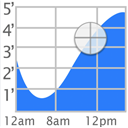
By bryanaamot
The Tide Graph Wordpress plugin shows a graph of the water levels in various areas in the US.
Add a mobile menu and an app-style bottom navigation bar to WordPress. Sticky bottom menu with icons, live preview, WooCommerce and block themes.
CHOOSE WHAT YOUR WEBSITE NEEDS
Start with the task you need to solve. Compare features, WordPress and PHP requirements, update history and the author’s documentation. Test changes on a private copy and avoid adding several plugins for the same job.
This independent directory displays plugin information on WebFulHost and links to the official source. Packages are not mirrored or installed here. A plugin can include paid extensions or services with separate terms from its author.