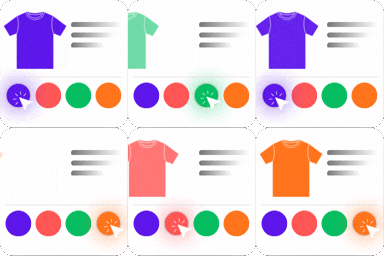
Variation Images Gallery for WooCommerce plugin allows to add UNLIMITED additional images for each variation of product.
★ 4.7/5 (39)10,000+ active installations
- Version
- 2.4.6
- WordPress
- 6.0+
- PHP
- 7.4+
- Updated
- 22 Sep 2026
View plugin details ↗Turn WooCommerce variation dropdowns into color, image, button and radio swatches on product and shop pages.
★ 5.0/5 (10)700+ active installations
- Version
- 2.0.0
- WordPress
- 6.2+
- PHP
- 7.4+
- Updated
- 25 Nov 2026
View plugin details ↗Your products deserve options that stand out. 🎨✨
★ 5.0/5 (9)900+ active installations
- Version
- 2.0.3
- WordPress
- 4.7+
- PHP
- 5.4+
- Updated
- 23 Aug 2026
View plugin details ↗The most easy to setup and easy to use variation swatches plugin. It converts boring variation dropdown to beautiful color, image, button/lable, or ra …
★ 5.0/5 (6)200+ active installations
- Version
- 2.0.0
- WordPress
- 5.6+
- PHP
- 7.2+
- Updated
- 6 Aug 2026
View plugin details ↗Provides new WooCommerce type attributes (color,label,image) for creating beautiful variations
★ 4.0/5 (9)500+ active installations
- Version
- 1.2.4
- WordPress
- 4.4+
- Updated
- 23 Nov 2026
View plugin details ↗Turn each product variation's photos into a fully controllable gallery — thumbnail layout, slider, zoom, and mobile sizing, no theme hacks.
★ 4.6/5 (162)30,000+ active installations
- Version
- 1.4.3
- WordPress
- 6.4+
- PHP
- 7.4+
- Updated
- 26 Oct 2026
View plugin details ↗QODE Variation Swatches for WooCommerce provides you with a clear-cut way to present shoppers with detailed item variations alongside your products.
★ 5.0/5 (1)1,000+ active installations
- Version
- 1.0.8
- WordPress
- 6.3+
- PHP
- 7.4+
- Updated
- 23 Dec 2025
View plugin details ↗WPC Linked Variation is built to link separate products together by attributes.
★ 4.7/5 (15)3,000+ active installations
- Version
- 4.6.1
- WordPress
- 5.9+
- Updated
- 24 Nov 2026
View plugin details ↗Every swatch option free, plus a full gallery per color that every size reuses. Switch from your current plugin in one click, with undo.
★ 4.7/5 (143)1,000+ active installations
- Version
- 5.3.15
- WordPress
- 6.0+
- PHP
- 7.4+
- Updated
- 24 Nov 2026
View plugin details ↗Variation Swatches for WooCommerce plugin will replace default swatches to professionally styled and colourful swatches.
2,000+ active installations
- Version
- 1.4.5
- WordPress
- 4.8+
- Updated
- 4 Nov 2026
View plugin details ↗Colour, image and label swatches for WooCommerce variations, a photo gallery for each colour, and one-click ordering of several sizes.
★ 4.0/5 (12)100+ active installations
- Version
- 2.2.2
- WordPress
- 6.0+
- PHP
- 7.4+
- Updated
- 15 Nov 2026
View plugin details ↗Replace dropdowns with color, image, and label swatches for WooCommerce variations. Improve user experience and drive more conversions.
★ 4.2/5 (5)100+ active installations
- Version
- 2.2.1
- WordPress
- 5.2+
- PHP
- 7.4+
- Updated
- 24 Aug 2026
View plugin details ↗