

Ai Image Generator, Open AI DALL-E 2, Image Generator Plugin, Blog post Image generator, AI Image Creation, WordPress Image Generator, Openai photo ge …
200+ active installations
- Version
- 1.0.9
- PHP
- 7.4+
- Updated
- 14 Sep 2026
WORDPRESS RESOURCES
Explore public plugin information from the official WordPress.org directory. Compare what a plugin does, its requirements and update history before adding it to your website.
Explore WordPress hosting →40 matching plugins reported by WordPress.org · Page 2 of 4
Source: WordPress.org
Data refreshed 21 Nov 2026 14:52 UTC
Ai Image Generator, Open AI DALL-E 2, Image Generator Plugin, Blog post Image generator, AI Image Creation, WordPress Image Generator, Openai photo ge …
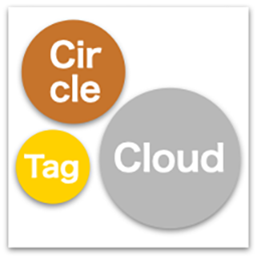
By Edel Hearts / Yabe
Displays taxonomy terms in a beautiful, highly packed circle (or rectangle) layout with customizable color palettes and motion effects.

By edigital2026
Free accessibility widget + statement for WordPress. Amendment 13 & WCAG 2.1 AA. | תוסף נגישות והצהרת נגישות בחינם
By Alexander Kovalev
Revolutionary auto featured image generator with AI. Effortlessly create thumbnails, force regenerate thumbnails, and automate image workflows.

By neweb_agency
The new and awesome plugin to build a page in 1 minute! Expand your mind!

By ganohr
You can insert to WordPress that toggle-code for CSS-based / Or details Tag.
Add a full-featured, in-browser emoji / sticker / emote maker to any page with a single shortcode.

By Vectai Inc.
Shoppers upload, crop and add text to their photos on your product page. Every order arrives in Vixie print-ready.

By vividwebsolution
A comprehensive WooCommerce extension for creating and managing events with custom seat categories, pricing, and automated ticket generation.

By shahidirfan100
Fast, privacy-first social sharing and follow tools with flexible placements, smart local triggers, and zero automatic external requests.

By Ernie St. Gelais
Try 5 free AI images with no signup. Make featured images in wp-admin, resized and placed in your media library with alt text set.

By Web Barracks
Brand your WordPress login page with layouts, presets, patterns, images, and video. No code required.
CHOOSE WHAT YOUR WEBSITE NEEDS
Start with the task you need to solve. Compare features, WordPress and PHP requirements, update history and the author’s documentation. Test changes on a private copy and avoid adding several plugins for the same job.
This independent directory displays plugin information on WebFulHost and links to the official source. Packages are not mirrored or installed here. A plugin can include paid extensions or services with separate terms from its author.
