

When Last Login – Export User Records
By Andrew Lima
Export your user's login records into a CSV or JSON file in seconds.
500+ active installations
- Version
- 1.1
- WordPress
- 5.0+
- Updated
- 3 Feb 2026
WORDPRESS RESOURCES
Explore public plugin information from the official WordPress.org directory. Compare what a plugin does, its requirements and update history before adding it to your website.
Explore WordPress hosting →10,000 matching plugins reported by WordPress.org · Page 2 of 50
Source: WordPress.org
Data refreshed 21 Nov 2026 05:26 UTC
By Andrew Lima
Export your user's login records into a CSV or JSON file in seconds.
By Roland Murg
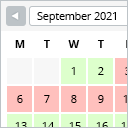
This booking calendar shows when something is booked or available. Use it to show when your holiday home is available for rent, for example.

By Andrew Lima
Send your users a welcome email when logging into your site for the first time.

By Vektor,Inc.
Redirect your visitors to another page than the post content when they click on the post title.
Force users to select a product category when creating or editing WooCommerce Products. For example, make category required.

By WebFactory
Sticky Menu or Sticky Header sticks elements at the top of the screen when you scroll, or create a floating sticky menu or fixed widget.
Real-time SEO guidance, schema, and AI built in. Help search engines and AI systems understand your content. All AI tools included, no hidden fees.

By Weston Ruter
Enables back/forward cache (bfcache) for instant history navigations even when “nocache” headers are sent, such as when a user is logged in.
MCP server for WordPress. Connect Claude, ChatGPT, Cursor or any MCP client to manage content, themes and settings, with approvals.

By Emre Vona
The simplest and fastest WP Cache system

By WP Media
Back up, restore, and protect your WordPress website with automated backups, cloud storage, one-click recovery, and AI-assisted backup management.
Create a welcome notification bar for your website. Also, My Sticky Bar plugin can make your menu or header sticky to the top when scrolled 📌
CHOOSE WHAT YOUR WEBSITE NEEDS
Start with the task you need to solve. Compare features, WordPress and PHP requirements, update history and the author’s documentation. Test changes on a private copy and avoid adding several plugins for the same job.
This independent directory displays plugin information on WebFulHost and links to the official source. Packages are not mirrored or installed here. A plugin can include paid extensions or services with separate terms from its author.



