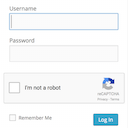
This plugin will create a new login page for your site. You can also create separate login pages for administrators and for other users.
★ 5.0/5 (7)20,000+ active installations
- Version
- 2.8.9
- WordPress
- 3.2.0+
- PHP
- 5.6+
- Updated
- 7 Oct 2026
View plugin details ↗Easily add an ajax-enhanced login widget to your WordPress site sidebar.
★ 4.5/5 (78)9,000+ active installations
- Version
- 3.1.0
- WordPress
- 6.6+
- PHP
- 7.4+
- Updated
- 12 Oct 2026
View plugin details ↗Customize your WordPress login page with live preview. Change logo, background, colors, and form styling without coding.
★ 4.9/5 (479)50,000+ active installations
- Version
- 2.3.1
- WordPress
- 6.0+
- PHP
- 8.0+
- Updated
- 29 Sep 2026
View plugin details ↗Adds a Google No Captcha ReCaptcha checkbox to your Wordpress and Woocommerce login, forgot password, and user registration pages.
★ 4.5/5 (63)50,000+ active installations
- Version
- 1.8.1
- WordPress
- 4.6+
- PHP
- 7.4+
- Updated
- 26 May 2026
View plugin details ↗Frontend login, registration, profile and password reset forms with blocks or shortcodes. WPML certified, reCAPTCHA and WooCommerce compatible.
★ 4.7/5 (144)5,000+ active installations
- Version
- 2.0.3
- WordPress
- 5.5+
- Updated
- 16 Nov 2026
View plugin details ↗Log in as any WordPress user with one click. Troubleshoot issues and support customers without asking for their password.
★ 4.8/5 (41)30,000+ active installations
- Version
- 1.7.6
- WordPress
- 5.3+
- PHP
- 7.4+
- Updated
- 13 Nov 2026
View plugin details ↗Google reviews widget for WordPress — 34 layouts, shortcode or block, no API keys. Unlimited views.
1,000+ active installations
- Version
- 1.2.6
- WordPress
- 6.0+
- PHP
- 7.4+
- Updated
- 15 Nov 2026
View plugin details ↗FREE WordPress Security: firewall, two factor authentication (2FA), security headers, login, malware and password protection, scanner, activity log
★ 5.0/5 (26)4,000+ active installations
- Version
- 3.0.14
- WordPress
- 6.2+
- PHP
- 7.4+
- Updated
- 18 Nov 2026
View plugin details ↗Secure your access to the admin page with this plugin !
★ 4.7/5 (12)20,000+ active installations
- Version
- 2.2.5
- WordPress
- 5.0+
- PHP
- 7.0+
- Updated
- 14 Oct 2026
View plugin details ↗Secure WordPress login, registration, and comment form with Google reCAPTCHA or Cloudflare Turnstile. Prevent Brute-force attacks and more.
★ 4.9/5 (20)10,000+ active installations
- Version
- 1.9.5
- WordPress
- 5.3+
- PHP
- 7.0+
- Updated
- 8 Oct 2026
View plugin details ↗Custom Login Customizer allows you to easily customize your admin login page, straight from your WordPress Customizer!
★ 4.8/5 (410)80,000+ active installations
- Version
- 2.5.4
- WordPress
- 4.0+
- PHP
- 5.6+
- Updated
- 6 Jan 2026
View plugin details ↗
By David Anderson / Team Updraft
Protect your WordPress site with All-In-One Security (AIOS): easy-to-use login security, a powerful firewall, and much more.
★ 4.7/5 (1,721)1,000,000+ active installations
- Version
- 5.5.1
- WordPress
- 5.3+
- PHP
- 7.4+
- Updated
- 18 Nov 2026
View plugin details ↗