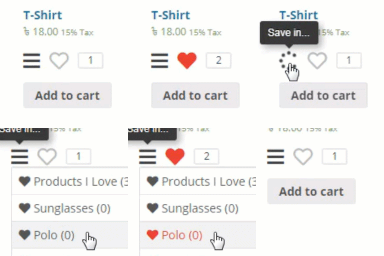
Addonify WooCommerce Wishlist is a light-weight yet powerful tool that adds a wishlist functionality to your e-commerce shop.
★ 4.3/5 (4)900+ active installations
- Version
- 2.0.17
- WordPress
- 6.3+
- PHP
- 7.4+
- Updated
- 16 Jul 2026
View plugin details ↗Wishlist for WooCommerce helps to manage Wishlist and save for later feature in a WooCommerce store
★ 4.3/5 (8)80+ active installations
- Version
- 1.1.26
- WordPress
- 4.0+
- Updated
- 24 Nov 2026
View plugin details ↗This plugin provides the possibility for your customers to create wishlists with the further possibility to share them with friends.
★ 3.7/5 (3)100+ active installations
- Version
- 1.1.17
- WordPress
- 4.8+
- PHP
- 5.6+
- Updated
- 31 Oct 2026
View plugin details ↗WCBoost - Wishlist lets shoppers create wishlists for later purchases, reminding them of desired items, driving repeat visits and boost sales.
40,000+ active installations
- Version
- 1.3.1
- WordPress
- 4.5+
- PHP
- 7.0+
- Updated
- 14 Sep 2026
View plugin details ↗Manage GTINs (EAN, UPC, ISBN, etc.) effortlessly in WooCommerce! Create, save, search, and display EANs easily, with tools for bulk actions, etc.
★ 4.9/5 (56)10,000+ active installations
- Version
- 5.6.1
- WordPress
- 5.7+
- PHP
- 7.4+
- Updated
- 19 Nov 2026
View plugin details ↗Elementor templates, Header footer builder, Elementor Post Grid, Woocommerce Grid builder, Slider, Forms, Gallery, Nav menu addons, Elementor widgets.
★ 4.8/5 (613)600,000+ active installations
- Version
- 1.7.1073
- WordPress
- 5.0+
- PHP
- 5.6+
- Updated
- 27 Nov 2026
View plugin details ↗Add wishlist feature to your WooCommerce product or any post types.
★ 3.8/5 (13)300+ active installations
- Version
- 1.0.46
- WordPress
- 3.8+
- Updated
- 8 Jun 2026
View plugin details ↗WooCommerce coupon plugin for BOGO deals, store credit, URL coupons, discount codes, coupon rules, gift cards & loyalty program. Free & powerful.
★ 4.4/5 (185)20,000+ active installations
- Version
- 4.7.7
- WordPress
- 5.9+
- PHP
- 5.6+
- Updated
- 26 Nov 2026
View plugin details ↗90+ Elementor widgets & addons, 600+ templates, Mega Menu, WooCommerce, Display Conditions. The only Elementor addon AI agents can fully build with.
★ 4.9/5 (1,680)600,000+ active installations
- Version
- 4.11.122
- WordPress
- 6.6+
- PHP
- 7.4+
- Updated
- 25 Nov 2026
View plugin details ↗A modern wishlist plugin for WooCommerce. Allows users to add products to a wishlist, view, and manage them.
1,000+ active installations
- Version
- 1.1.7
- WordPress
- 5.0+
- PHP
- 7.0+
- Updated
- 24 Jul 2026
View plugin details ↗Track active, abandoned, and converted WooCommerce carts and Shopper Lists (Wishlist, Save for Later) in real time from the WordPress admin dashboard.
★ 5.0/5 (4)1,000+ active installations
- Version
- 2.1.1
- WordPress
- 6.5.0+
- PHP
- 7.0+
- Updated
- 5 Nov 2026
View plugin details ↗QODE Quick View for WooCommerce helps you boost conversions & sales by providing visitors with handy pop-up product previews on product list pages.
★ 5.0/5 (1)10,000+ active installations
- Version
- 1.1.2
- WordPress
- 6.3+
- PHP
- 7.4+
- Updated
- 16 Nov 2026
View plugin details ↗