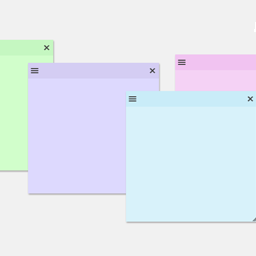
Create sticky notes in your WP admin for reminders and to-dos. Restrict notes by user roles and disable them on specific pages.
★ 5.0/5 (7)1,000+ active installations
- Version
- 1.2.7
- WordPress
- 3.6.0+
- PHP
- 5.6+
- Updated
- 4 Sep 2026
View plugin details ↗Keep private notes about each of your users that only Administrators can see.
★ 4.8/5 (15)800+ active installations
- Version
- 2.1.1
- WordPress
- 6.0+
- Updated
- 25 Aug 2026
View plugin details ↗Easily add code snippets in WordPress. Insert header & footer scripts, add PHP code snippets with conditional logic, insert ads pixel code, and more.
★ 4.9/5 (1,937)3,000,000+ active installations
- Version
- 2.4.2
- WordPress
- 5.0+
- PHP
- 7.0+
- Updated
- 12 Nov 2026
View plugin details ↗Seamlessly integrates FancyBox lightbox into your WordPress blog: Upload, activate, and you're done. Additional configuration optional.
★ 4.6/5 (92)30,000+ active installations
- Version
- 3.4.3
- WordPress
- 5.6+
- PHP
- 7.4+
- Updated
- 9 Nov 2026
View plugin details ↗Secure WordPress MCP server: we never see your data. Connect Claude, ChatGPT & AI agents to WordPress. 280+ tools for WooCommerce, SEO & GA4. Free.
★ 4.9/5 (18)40,000+ active installations
- Version
- 2.5.0
- WordPress
- 6.0+
- PHP
- 7.4+
- Updated
- 19 Nov 2026
View plugin details ↗An email marketing tool for your blog: subscription forms to create your lists with unlimited subscribers and newsletters.
★ 4.6/5 (1,205)200,000+ active installations
- Version
- 9.5.7
- WordPress
- 6.1+
- PHP
- 7.0+
- Updated
- 12 Nov 2026
View plugin details ↗The AI chatbot, AI agent and MCP server for WordPress. Connect OpenAI, Claude, Gemini and more to chat, write, search and automate your site.
★ 4.9/5 (880)90,000+ active installations
- Version
- 3.9.5
- WordPress
- 6.0+
- PHP
- 8.1+
- Updated
- 22 Nov 2026
View plugin details ↗Simple plugin that allow you to notes on pages and posts
★ 4.4/5 (14)1,000+ active installations
- Version
- 1.3.5
- WordPress
- 5.0+
- PHP
- 5.2.4+
- Updated
- 13 Aug 2026
View plugin details ↗Leave notes on any WordPress admin pages. Pin them to specific elements, collaborate, and document actions and guidance inside the dashboard.
★ 5.0/5 (9)300+ active installations
- Version
- 0.8.6
- WordPress
- 5.8+
- PHP
- 7.4+
- Updated
- 15 Nov 2026
View plugin details ↗Add notes to WooCommerce products.
★ 5.0/5 (4)1,000+ active installations
- Version
- 3.2.2
- WordPress
- 4.8+
- PHP
- 7.0+
- Updated
- 30 Sep 2026
View plugin details ↗The most flexible filters for WooCommerce products & WordPress content. Includes everything needed, supports Elementor & builders, AJAX, quick setup.
★ 4.6/5 (154)50,000+ active installations
- Version
- 1.9.8
- WordPress
- 6.0+
- PHP
- 7.4+
- Updated
- 2 Nov 2026
View plugin details ↗WPC Order Notes help you manage all order notes more easily. You can see all notes in one place and quickly view notes of an order in the popup.
★ 4.3/5 (3)800+ active installations
- Version
- 2.0.7
- WordPress
- 5.9+
- Updated
- 8 Oct 2026
View plugin details ↗