Acceptcoin is an innovative integrated payment gateway for accepting cryptocurrencies as payment for the purchase of goods and services on the seller& …
★ 5.0/5 (8)0+ active installations
- Version
- 1.0.10
- WordPress
- 5.0+
- PHP
- 7.4+
- Updated
- 2 Feb 2024
View plugin details ↗Accept cryptocurrency payments on your WooCommerce website
0+ active installations
- Version
- 1.0.3
- WordPress
- 5.9+
- Updated
- 12 Jan 2024
View plugin details ↗Accept payment for WooCommerce orders via Stellar (both XLM and other tokens built on the Stellar Platform). No registration and No Fees.
0+ active installations
- Version
- 1.2.2
- WordPress
- 5.8+
- PHP
- 8.0+
- Updated
- 17 Nov 2022
View plugin details ↗Absolutely the easiest setup in the industry. No registration. No API keys. No middleman. Accept bitcoin, ethereum, litecoin, and more.
★ 3.5/5 (18)100+ active installations
- Version
- 2.4.8
- WordPress
- 3.0.1+
- PHP
- 5.2.4+
- Updated
- 7 Dec 2020
View plugin details ↗You can also make payment in OWCC. The user needs to select payment currency from the dropdown.
★ 5.0/5 (1)0+ active installations
- Version
- 1.0.1
- WordPress
- 4.7+
- PHP
- 7.0+
- Updated
- 5 Oct 2021
View plugin details ↗Accept REAL8 token payments on Stellar for USD and EUR WooCommerce orders, with local payment instructions and automatic verification.
0+ active installations
- Version
- 4.7.0
- WordPress
- 6.5+
- PHP
- 7.4+
- Updated
- 29 Oct 2026
View plugin details ↗This plugin integrates Bitvolo.com trustless cryptocurrency payments (IOTA / Stellar XLM / XRP / EOS / TELOS / WAX) into WooCommerce checkout
10+ active installations
- Version
- 1.0
- WordPress
- 2.5+
- PHP
- 5.0+
- Updated
- 11 Apr 2020
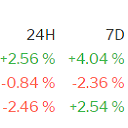
View plugin details ↗Display cryptocoins current price, 24 hours price change and 7 days price change on your website. You can select which coins/pairs to display.
10+ active installations
- Version
- 1.5.2
- Updated
- 4 May 2018
View plugin details ↗This is the plugin where your visitors make payment to you. You can change the label of the button to make it either donation or payment button.
★ 5.0/5 (1)10+ active installations
- Version
- 0.2.4
- WordPress
- 3.5+
- Updated
- 6 Dec 2019
View plugin details ↗Adds SatoshiPay to your site, allowing you to charge small amounts for posts, images, audios, videos or downloads using micropayments.
★ 5.0/5 (6)10+ active installations
- Version
- 1.11
- WordPress
- 4.4.5+
- Updated
- 22 Jul 2019
View plugin details ↗