The Customer Notes for WooCommerce plugin allows store owners to add specific notes for each customer, which are then displayed on the Edit Order page …
★ 5.0/5 (3)200+ active installations
- Version
- 1.3.1
- WordPress
- 5.0+
- Updated
- 22 Aug 2026
View plugin details ↗Seamless Microsoft Entra | Ext. ID | B2C | M365 Integration for WordPress. For SSO, Mail, Roles, Access, Sync, Copilot, SharePoint, PowerBI.
★ 4.9/5 (155)10,000+ active installations
- Version
- 45.4
- WordPress
- 5.0+
- PHP
- 7.4+
- Updated
- 14 Nov 2026
View plugin details ↗Allow logged-in WooCommerce customers to manage multiple addresses in an address book and select them easily during checkout.
★ 5.0/5 (8)90+ active installations
- Version
- 1.0.15
- WordPress
- 5.6+
- PHP
- 7.4+
- Updated
- 3 Jul 2026
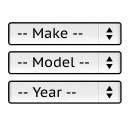
View plugin details ↗It will find products for selected make and model.
★ 5.0/5 (34)1,000+ active installations
- Version
- 1.0.12
- WordPress
- 4.7+
- Updated
- 20 Nov 2026
View plugin details ↗Easily connect Elementor Pro Forms to Google Sheets and automatically sync form entries in real-time—no coding required.
★ 5.0/5 (7)700+ active installations
- Version
- 1.7.2
- WordPress
- 5.3+
- PHP
- 7.4+
- Updated
- 6 Nov 2026
View plugin details ↗See in WordPress what happened on your site today and yesterday: orders, errors, lost clicks, recordings and what to fix first.
★ 5.0/5 (6)1,000+ active installations
- Version
- 2.0.1
- WordPress
- 5.8+
- PHP
- 7.4+
- Updated
- 5 Nov 2026
View plugin details ↗Safely search and replace links, URLs, or any text across your WordPress database — including serialized data — with a dry-run preview and CSV log.
★ 5.0/5 (4)70+ active installations
- Version
- 1.0.3
- WordPress
- 5.8+
- PHP
- 7.2+
- Updated
- 6 Nov 2026
View plugin details ↗Backup, migrate, and create staging sites with free cloud storage and support.
★ 4.9/5 (1,341)80,000+ active installations
- Version
- 2.1.9
- WordPress
- 4.6+
- PHP
- 5.6+
- Updated
- 10 Nov 2026
View plugin details ↗For anyone who wants Font Awesome icons in the block editor without class names or a heavy icon font: search, click, done. Free icons render as SVG.
★ 3.7/5 (6)1,000+ active installations
- Version
- 1.8.0
- WordPress
- 7.1+
- PHP
- 8.0+
- Updated
- 19 Nov 2026
View plugin details ↗Redirect attachment pages or return a 404 error for them based on the parent post status.
★ 4.9/5 (47)10,000+ active installations
- Version
- 1.1.2
- WordPress
- 4.8+
- PHP
- 5.6+
- Updated
- 16 Jan 2026
View plugin details ↗Add featured image column in listings. Add/change/remove featured image directly from the listing page
★ 4.5/5 (10)3,000+ active installations
- Version
- 2.0
- WordPress
- 4.0+
- Updated
- 25 Mar 2026
View plugin details ↗
By SSL Zen - Free SSL/HTTPS
Free SSL certificate for WordPress — install a Let's Encrypt SSL, force HTTPS, fix mixed content and redirect HTTP to HTTPS. No coding needed.
★ 4.9/5 (665)9,000+ active installations
- Version
- 4.7.43
- WordPress
- 4.2+
- PHP
- 5.6+
- Updated
- 18 Sep 2026
View plugin details ↗