

Availability datepicker & booking calendar for any form. Configure business hours, time slots, date overrides and a booking window.
★ 4.1/5 (42)10,000+ active installations
- Version
- 3.0
- WordPress
- 6.0+
- PHP
- 7.4+
- Updated
- 27 Feb 2026
WORDPRESS RESOURCES
Explore public plugin information from the official WordPress.org directory. Compare what a plugin does, its requirements and update history before adding it to your website.
Explore WordPress hosting →9,514 matching plugins reported by WordPress.org · Page 20 of 50
Source: WordPress.org
Data refreshed 24 Nov 2026 22:44 UTC
Availability datepicker & booking calendar for any form. Configure business hours, time slots, date overrides and a booking window.
A complete WordPress caching plugin: page cache, object cache, CDN, database cleanup and Core Web Vitals optimization, plus a built-in MCP server.

By blockonomics
Accept Bitcoin/USDT payments on your WooCommerce website. Crypto payments go directly to your wallet.

By Ziina
Ziina accepts Apple Pay, Google Pay, Visa, and Mastercard.
By Roland Murg
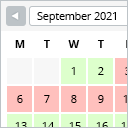
This booking calendar shows when something is booked or available. Use it to show when your holiday home is available for rent, for example.

By Webshop Pay
This plugin adds the Pay. Payment Methods to your WooCommerce installation.

By Orderable
Take your restaurant/food business online with the online ordering system plugin for WordPress, Orderable.
Free MCP plugin for WordPress. Connect Claude, ChatGPT, Cursor or any AI agent and manage your site by chat. 200+ tools, no coding needed.

By webdevstudios
Use Algolia AI Search & Discovery to power your website's search with AI-powered Autocomplete and InstantSearch for fast, accurate, relevant results.

By Narinder Singh
Event countdown timer for The Events Calendar. Show a countdown to upcoming events with a shortcode, block, Elementor widget or sticky floating bar.

By Wired Impact
A free, easy way to manage your nonprofit's volunteers.

By Trustindex
Instagram Feed Widgets. Display your Instagram feed on your website to increase engagement, sales and SEO.
CHOOSE WHAT YOUR WEBSITE NEEDS
Start with the task you need to solve. Compare features, WordPress and PHP requirements, update history and the author’s documentation. Test changes on a private copy and avoid adding several plugins for the same job.
This independent directory displays plugin information on WebFulHost and links to the official source. Packages are not mirrored or installed here. A plugin can include paid extensions or services with separate terms from its author.

