The Ultimate all-in-one affiliate program management plugin for WordPress.
★ 4.6/5 (7)2,000+ active installations
- Version
- 1.8.0
- WordPress
- 6.0+
- PHP
- 7.4+
- Updated
- 20 Nov 2026
WORDPRESS RESOURCES
Explore public plugin information from the official WordPress.org directory. Compare what a plugin does, its requirements and update history before adding it to your website.
Explore WordPress hosting →1,741 matching plugins reported by WordPress.org · Page 20 of 50
Source: WordPress.org
Data refreshed 25 Nov 2026 23:59 UTC
The Ultimate all-in-one affiliate program management plugin for WordPress.

By onlinefotka
Withdrawal & complaint forms for WooCommerce + EU Legal Guarantee notice (Regulation 2025/1960, mandatory from Sep 2026). Fully EU-compliant.
bBlocks enhances the Gutenberg editor with over 90 custom blocks for layout, content, and design, turning it into a powerful WordPress page builder

By Plan Left
Contact Camo protects email addresses from scrapers and bots — now with a native Gutenberg block so you can build beautiful, protected contact experie …

By Valentin Constantinescu
Monitors visitors, detects bots and attackers, plants honeypots, checks threat intel, and blocks malicious IPs in real time.

By Favour Adjenuvurhe
Manage shipments and track parcels directly from WordPress. Give customers a branded tracking page, connect shipments to WooCommerce orders, and manag …
Secure WordPress MCP for Claude and ChatGPT, AI Studio and full WebOps, Backups, Sandbox & Fleet Control.

By alexacrm
The easiest way to integrate WordPress with Dynamics 365, Dataverse, Power Apps, or Dynamics CRM.
By Saidul Islam Bokul
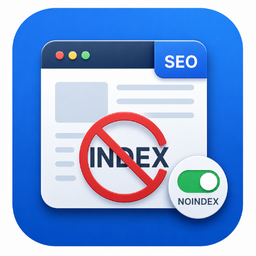
Exclude any post, page, or archive from search engines with one toggle — plus a built-in verifier that proves the tag is really live.

By Rank Authority
AI-powered SEO on autopilot: publish optimized content and get found on Google and AI search — ChatGPT, Perplexity, and Google AI Overviews.
Score every post for SEO, AEO and GEO. AI search readiness checks, FAQ and author schema, llms.txt, IndexNow and AI crawler tracking, all free.

By Thomas Maier
Show image credits, image captions, and copyrights. Manage image sources, licenses and AI label. The original plugin since 2012.
CHOOSE WHAT YOUR WEBSITE NEEDS
Start with the task you need to solve. Compare features, WordPress and PHP requirements, update history and the author’s documentation. Test changes on a private copy and avoid adding several plugins for the same job.
This independent directory displays plugin information on WebFulHost and links to the official source. Packages are not mirrored or installed here. A plugin can include paid extensions or services with separate terms from its author.